 ®
Follow one play, from phone to proof.
One 15-second spot, six stops, six products. This is the whole platform seen through a single airing, from the moment it is ordered to the number that shows who saw it.
One Play Journey in our ecosystem, every step in view and under control.
Follow a single 15-second spot through the ecosystem, from the phone where it is ordered to the number that proves who saw it.
-
01
Choose
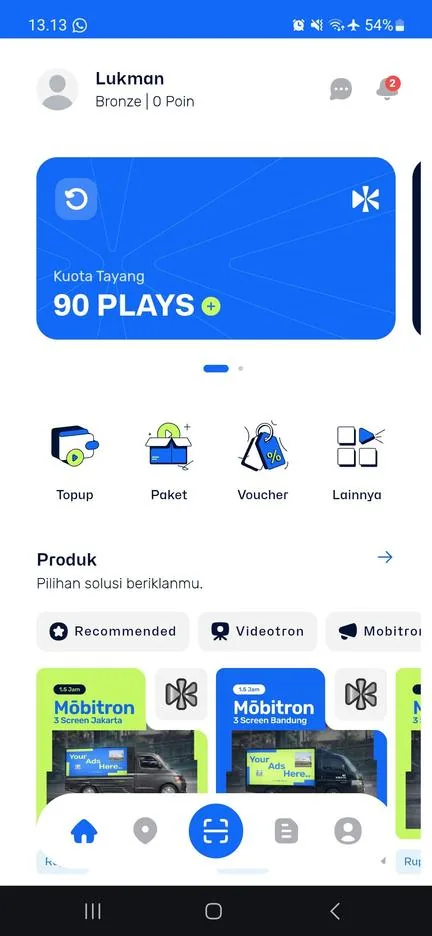
Klik AppFilter screens near your outlets by city and tier, compare points and pick the dates.
- Map and list of every point in the network
- Filter by city, tier and screen type
- Open dates shown per point
ResultA shortlist of points and dates.
-
02
Buy
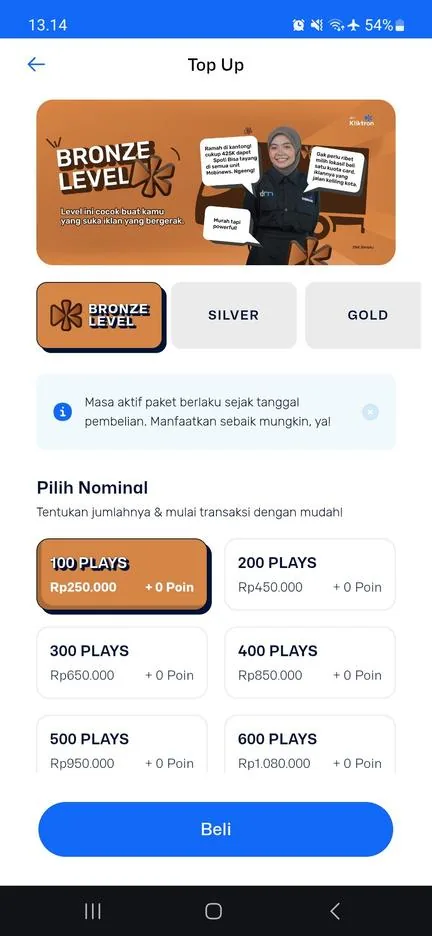
Klik AppPick a Plays package that fits the campaign. The balance is active the day you buy it, and bigger packages cost less per play.
- Packages from a small test to a full campaign
- Pay in the app, the balance is ready at once
- One balance, spent across points and dates
ResultA Plays balance ready to spend.
-
03
Upload
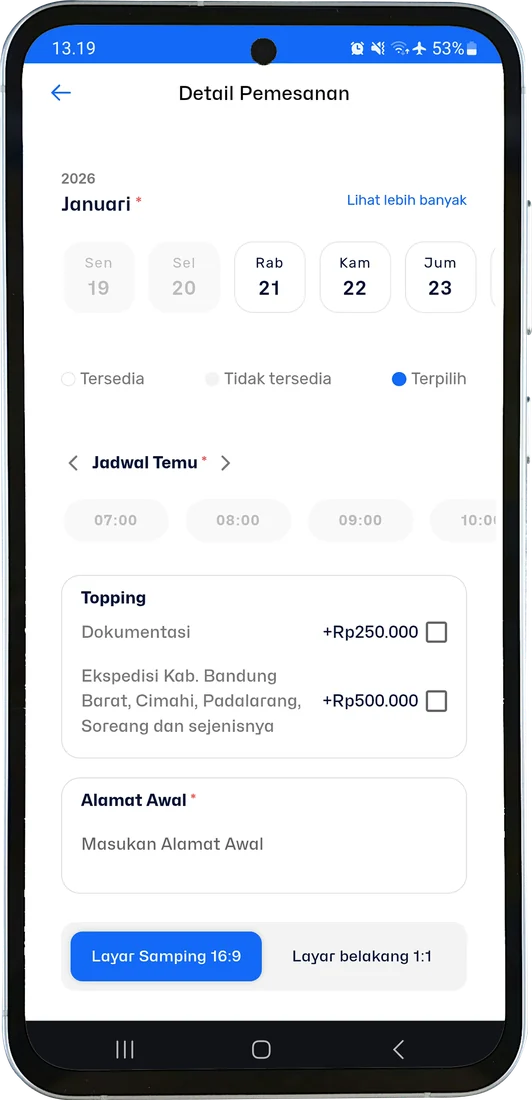
Klik App CMSOne 15-second clip. QC checks it and approves it the same day.
- MP4, 1920 × 1080, up to 100 MB
- Choose the side or back screen format
- QC feedback shown right in the app
ResultCreative approved and scheduled.
-
04
Air
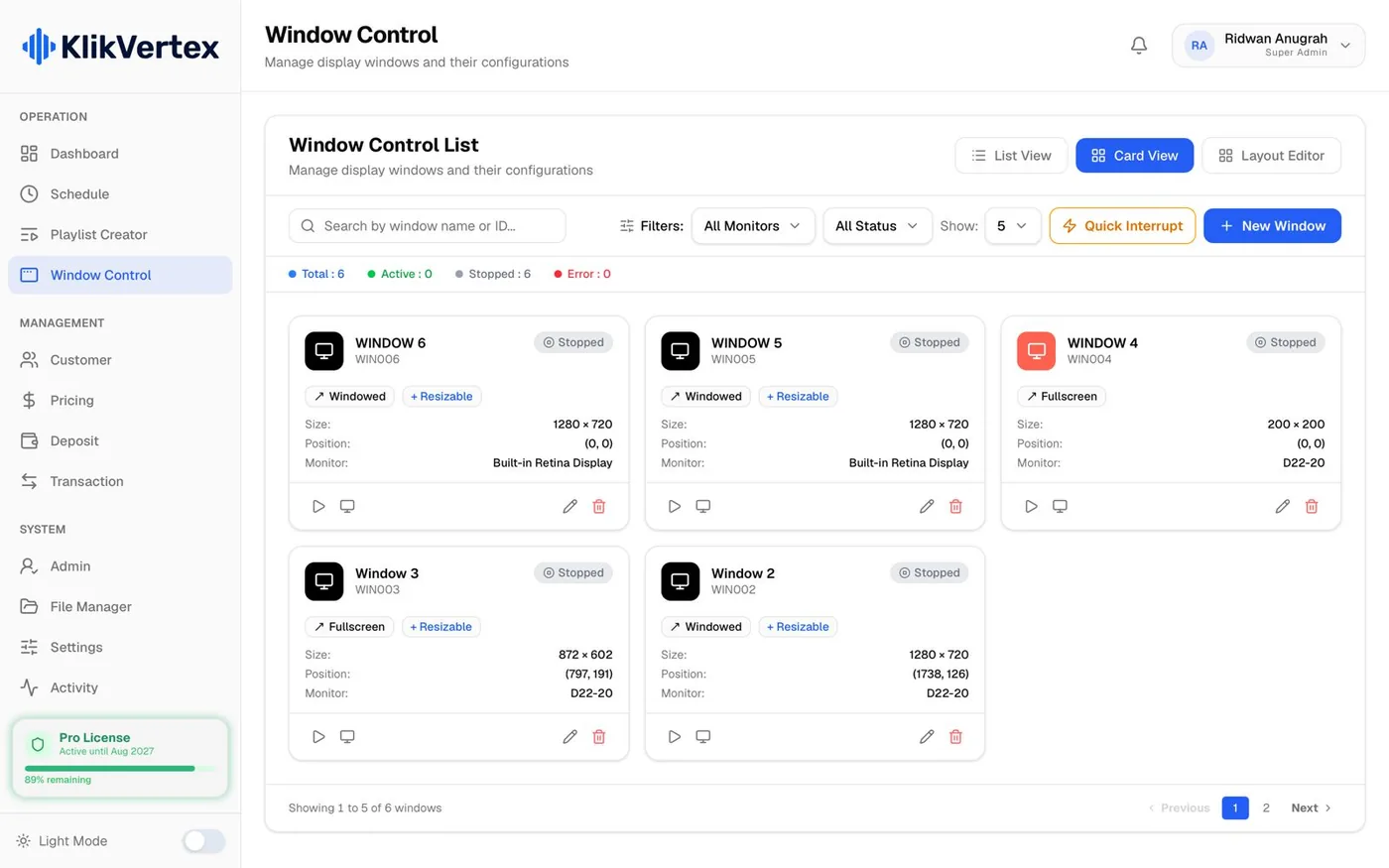
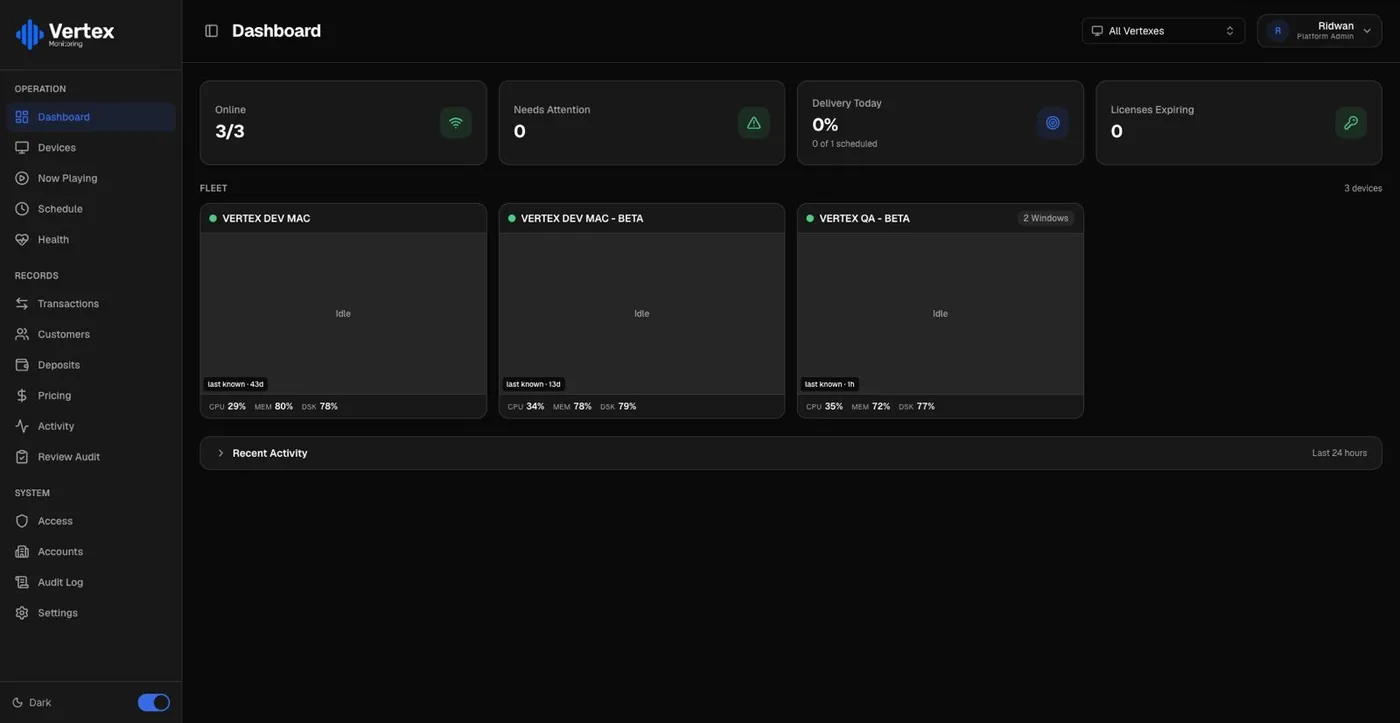
Vertex PlayerVertex Player runs the schedule from local storage. If the line drops, the spot keeps airing.
- Schedule stored on the machine beside the screen
- Exclusive, sharing, blocking and screensaver layers
- Keeps airing when the internet drops
ResultThe spot is on air at the chosen times.
-
05
Prove
Vertex MonitoringEvery play is timestamped and matched with a CCTV clip from that point.
- Timestamp written by the player itself
- CCTV clip from the same point attached
- Failing screens rise to the top of the fleet grid
ResultA proof record for every play.
-
06
Measure
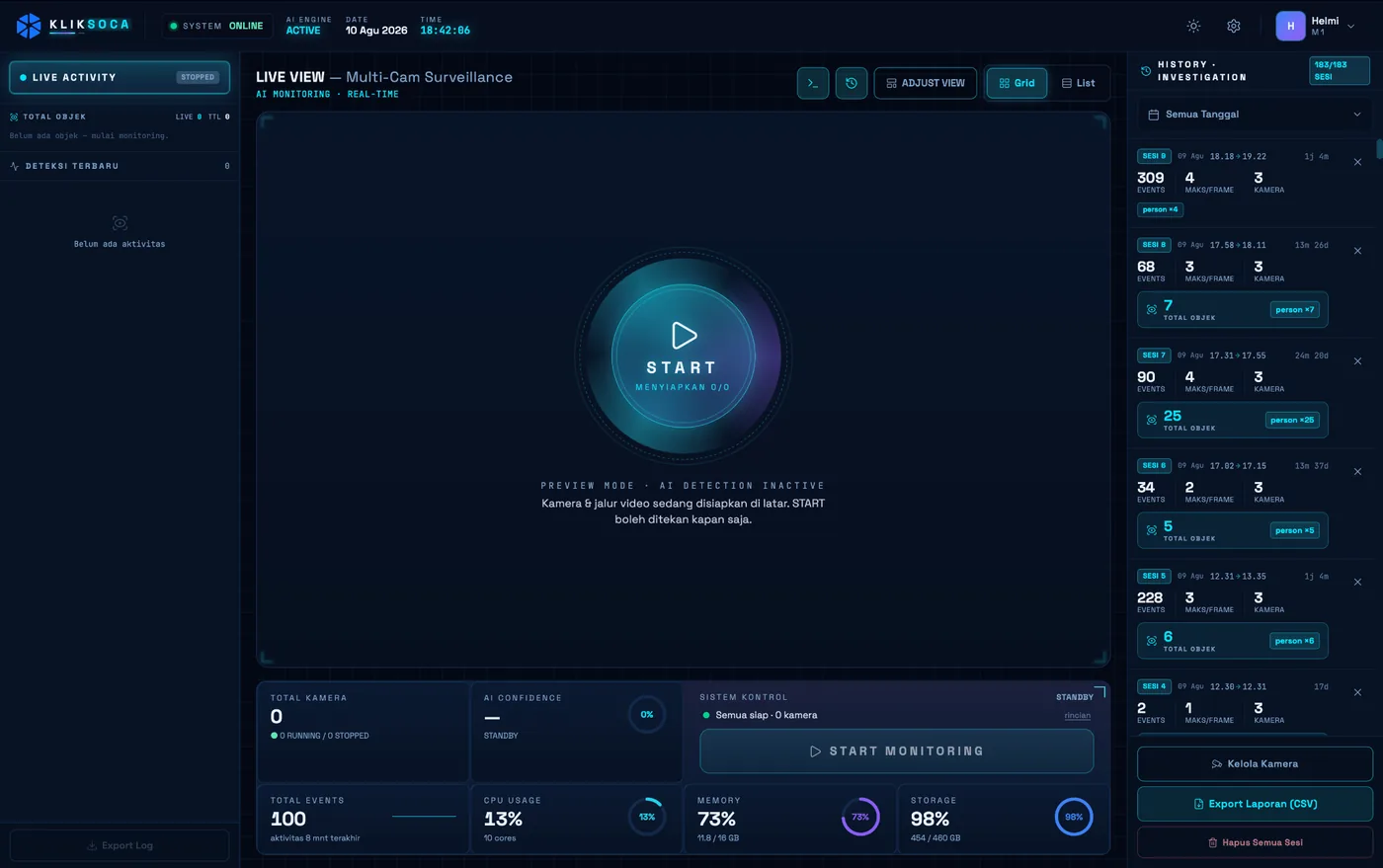
Soca InsightCameras count who actually walked or drove past. By day 30 the brand holds verified plays and a counted audience for every screen.
- People and vehicles counted from on-site cameras
- Video processed on site, never uploaded
- Reports ready to export for the client
ResultA counted audience for every screen.
One campaign, end to end.
An illustrative example. Kopi Nusa, a coffee brand with three outlets in Bandung, runs a thirty-day campaign of 120 plays on Silver-tier screens near its outlets.
- 01
Choose Klik App
Filters Silver-tier screens near its three outlets, compares the points and picks the dates.
- 02
Buy Klik App
Buys a 120-play package at the published Silver rate. The balance is ready the same day and is spent across the three points.
- 03
Upload Klik App CMS
Uploads one 15-second clip. QC checks it and approves it the same day.
- 04
Air Vertex Player
The players run the schedule from local storage and keep airing when the line drops.
- 05
Prove Vertex Monitoring
Every play is logged with a timestamp, with a CCTV clip from the same point attached.
- 06
Measure Soca Insight
Cameras count who actually walked or drove past each screen.
Illustrative example at the published Silver-tier rate. Slot availability and audience figures differ by point.
Day 30: what the brand holds.
Not a photo and a promise. A record the brand can check and hand to anyone who asks.
Illustrative example. Audience counting needs a camera installed at the point.
Add more later, replace nothing.
The same account can add a fourth screen, a camera at the busiest outlet or a vehicle on the road, without changing the system already in use.
A fourth screen
Add a point in another district or another city. The same Plays balance pays for it.
See the network
A camera at the busiest outlet
Count the people and vehicles passing your own outlet, with the video processed on site.
Soca Insight
A vehicle on the road
Take the screen to the crowd with Mōbitron, every route and stop tracked.
Mōbitron
A booth at the launch
Guests scan a QR code, their phone becomes the camera, and the branded photo arrives on WhatsApp.
PhotospaceWhat each stop writes to the record.
Every stop adds its part to one record. This is what the record holds by the end of the journey.
Order
- Point and dates
- Chosen from the map or list, filtered by city, tier and screen type
- Package
- A Plays balance, spent across points and dates
- Payment
- In the app: QRIS, e-wallets or virtual account
Creative
- Format
- MP4 · 1920 × 1080, landscape 16:9
- File size
- Up to 100 MB
- Length
- 15 to 30 seconds
- Safe zone
- 90% of the frame
- QC
- Approved or returned with feedback in the app
Airing and proof
- Airing
- From the player’s local storage, offline-first
- Timestamp
- Written by the player at the second of airing
- Evidence
- CCTV clip from the same point
Audience
- Counted
- People and vehicles passing the screen
- Privacy
- Video processed on site, never uploaded
- Output
- A report ready to export for the client
Questions, answered.
No. Kopi Nusa is an illustrative example built on the published Silver-tier rate. Slot availability and audience figures differ by point.
Vertex Player makes it good the next day. If the play can no longer air in time, the balance is refunded.
Proof is recorded automatically as each play airs and can be viewed in the app at any time, without asking anyone for a report.
Yes. One Plays balance is spent across points and dates, so a campaign can start in one city and spread to others.
The QC feedback is shown in the app. Fix the clip and upload it again; nothing airs until it is approved.
Keep exploring, related pages.
Dual-Side ProofWhat advertisers and media owners each see, from one record written by the player.Qüota PlacementAirtime on the videotrons and signage Kliktron manages, bought by the play, with proof included. Kliktron® AppThe market buys airtime from a phone: pick a point, buy Plays, upload, and see the proof.Personal AdvertiserStart small, one screen at a time: thirty plays in the Klik App, with the proof on your phone.

Let’s make it Broadplay,
Anyone,
Anywhere,
Anytime.
Start with thirty plays on one screen this week.