 ®
Guides & Glossary, from first spot to full network.
Four short guides for the things people do first, and a glossary of every term you will meet in the apps, the pricing and the reports.
Air your first spot in the Klik App.
For personal advertisers, local brands and small agencies. You need a phone, a 15-second clip and a few minutes.
- 01
Open the app and sign up
Go to app.kliktron.id, enter your name and an active phone number, and accept the Terms and the Privacy Policy. There is no password: you sign in with a one-time code sent to your phone.
- 02
Verify your account
Upload a photo of a valid identity document from Profile, Account Info. Booking opens once the verification is approved.
- Accepted: KTP, SIM, passport or student card, as a JPG photo
- 03
Top up a Plays package
Tap “Top up”, choose the tier and the package, and pay. The balance appears once the payment is confirmed and is active from the day you buy it.
- Pay with QRIS, e-wallets or a virtual account
- Bigger packages cost less per play
- 04
Pick a screen and the dates
Open Products, filter by city and category, and tap a point to see its tier, photos and open dates. Choose Exclusive or Sharing, then the number of days and the dates.
- 05
Upload your creative and confirm
Select your clip, wait for the upload, tap Check content to review it, then schedule and confirm. The plays are deducted from your balance when the booking is confirmed.
- 06
Follow it in Activity
QC reviews the creative before anything airs. Activity shows each order, its status, the invoice and the proof of play once the spot has aired.
Slots follow availability at each point. Prices are on the Pricing page and exclude 11% VAT.
Prepare a creative that passes QC.
Most rejections come from the wrong size, text too close to the edge or rights that are not cleared. Check these before you upload.
- 01
Size and format
Export a landscape 16:9 video at 1920 × 1080 as MP4, up to 100 MB.
- 02
Length
Keep it between 15 and 30 seconds. One play is one 15-second airing, so a 15-second cut is the simplest place to start.
- 03
Safe zone
Keep text, logos and phone numbers inside the central 90% of the frame. Screens differ at the edges, and the safe zone keeps your message whole on every one.
- 04
Readable from the street
One message, large type and high contrast. People see a public screen for a few seconds, often from a moving vehicle.
- 05
Lawful and cleared
Use only music, images, footage and brands you have the right to use, and follow Indonesian law and advertising norms. Kliktron may reject a creative that does not.
- 06
Read the QC result
QC approves or rejects before anything airs, and the feedback appears in the app. Fix what it names and upload again.
Creative spec, on one card.
Fixed screens
- Resolution
- 1920 × 1080, landscape 16:9
- File
- MP4, up to 100 MB
- Length
- 15 to 30 seconds
- Safe zone
- Central 90% of the frame
Mōbitron
- Front screen
- 1920 × 1080 px
- Back screen
- 1024 × 768 px
- File
- MP4 720p, up to 50 MB
- Length
- 15 to 30 seconds
- Safe zone
- 1720 × 880 px
Set up proof of play, with a camera that sees the screen.
For media owners running Vertex Player. Proof of play is recorded by the player itself, so the setup is about one thing: a camera with a clear view of the screen.
- 01
Choose an RTSP camera
Use a CCTV camera that can stream over RTSP. The camera is supplied by the media owner.
- 02
Point it at the whole screen
Mount it where the full screen is in frame, day and night, with nothing in the way. If the camera also counts audience, give it a view of the street in front.
- 03
Connect it to the player machine
Put the camera on a network the Vertex Player computer can reach. Our team connects the stream during setup, together with screen mapping and operator training.
- 04
Let the player record
At the second a spot appears, the player records a clip from the camera and seals it to the play log, with the timestamp written by the machine itself.
- 05
Check the record from both sides
The advertiser sees the verified play in the app. You see every screen, every play and its proof in Vertex Monitoring.
Audience counting needs a camera installed at that point. Counting accuracy depends on the camera angle, lighting and camera quality.
Bring a screen into the network.
For videotron owners and screen operators. Four steps, each agreed with you before the next one starts.
- 01
Demo 30 minutes
We show proof of play, the fleet dashboard and audience counting on live data, and ask how many screens you run, where, and on what software.
- 02
Paid pilot 30 days
Thirty days on one point, one camera or one Mōbitron route, with the scope and what counts as success agreed at the start.
- 03
Install
Vertex Player goes on the computer beside the videotron. We activate the licence, map the screens, connect the camera and train your operators.
- 04
Go-live
The first point airs. Proof of play and audience data are checked running normally before go-live is confirmed. From then on, the point can sell idle airtime at retail through the Klik App.
Prices for licences and setup are on the Pricing page. Service levels follow the contract agreement.
The words we use, in plain language.
Terms stay in English across the site and the apps. Type in the box to filter.
- AOS
- Advertising Operating System. The Kliktron core behind every product: identity and balance, pricing, device licences, the message queue and the play record.
- Blocking
- A Vertex Player schedule layer that holds a block of time on a screen. Like Sharing, a skipped Blocking slot is made good.
- CCTV
- A fixed camera at the site. Used for proof of play when it sees the screen, and for audience counting when it sees the street.
- Digital Signage
- Screens inside stations, airports, government buildings and public facilities, as opposed to roadside videotrons.
- DOOH
- Digital out-of-home: OOH on screens, so content can change by schedule and every airing can be logged.
- Dwell time
- How long a vehicle stayed at a stop. For a Mōbitron, it shows how long the screen stood in front of a crowd.
- Exclusive
- A slot where your spot airs on its own, with no other ads in between. The first layer the screen resolves.
- Fleet grid
- The Vertex Monitoring view of every screen, sorted with failures on top instead of alphabetically.
- Grace period
- A short period in which a service keeps limited function after a licence check or a subscription lapses, so you have time to renew.
- Heartbeat
- A regular signal a device sends to report that it is running. A device that loses power suddenly keeps its last status until a new report arrives.
- Impression
- One chance for one person to see an ad. Field programme figures are reported impressions and vary by route, duration and area density.
- JPO
- Jembatan Penyeberangan Orang, a pedestrian bridge. A videotron on a JPO faces both the road below and the people crossing.
- Kliktron Protocol
- The messaging layer between the cloud and the players. Orders from the Klik App reach a Vertex Player through it, and proof flows back.
- Licence
- The right to run a Kliktron software product on one unit, such as a videotron, device, screen, camera, vehicle or tenant, for a paid period.
- Make-good
- A replacement airing for a booked play that was skipped, usually the next day. If it cannot be made good in time, the plays return to the balance.
- Max-per-Frame
- A Soca Insight metric: the highest number of people or vehicles seen in a single frame during a period, used as a density figure.
- Offline-first
- Software that runs every operation from a database on the machine, so the screen keeps airing when the internet drops.
- On-premise
- Software that runs on a machine at your own site. Soca Insight On-Premise processes video there; only the counts leave.
- OOH
- Out-of-home: advertising people see outside their homes, such as billboards, transit and street furniture.
- OTP
- One-time password: a short code sent to your phone by SMS or WhatsApp to sign in. The Kliktron apps use it instead of a password.
- OTS
- Opportunity To See: the number of people or vehicles that had the chance to see a spot, counted at a point or along a route.
- Perpetual licence
- A licence paid once instead of monthly. Offered for Klikplayer Mini Site and includes updates for the first 12 months.
- Play
- One airing of a 15-second spot on one screen. The unit you buy, schedule and see proven.
- Plays balance
- The plays you hold in the Klik App, bought as a package. It is active from the day of purchase and is spent across points and dates.
- Project Placement
- A bulk placement over a longer period, planned and quoted with the team.
- Proof of Play
- The record that a spot really aired: a play log written by the player, with a timestamp and a CCTV clip from the moment of airing.
- QC gate
- The approval step every order passes before it airs. A creative is approved or rejected; nothing airs unreviewed.
- Qüota
- Airtime bought as a quota of plays instead of a large block of time. The bigger the quota, the more often your spot appears.
- Retail Quota
- Plays packages for daily to weekly campaigns, bought in the app without a contract.
- Room (Photospace)
- In Photospace, one event under a tenant, with its own branding, layouts, photo gallery and door prize. Plan limits count active rooms.
- Route replay
- Playing back a vehicle’s recorded route, vehicle by vehicle and day by day, as evidence of where a campaign went.
- RTSP
- Real Time Streaming Protocol, the way most network CCTV cameras stream video. Vertex Player records proof clips over RTSP.
- Screensaver
- The layer that fills every gap in the schedule, so the screen is never blank.
- Setup fee
- A one-time charge per unit for installation work, such as screen mapping and operator training for Vertex Player, or port calibration and driver training for Kliktrack.
- Sharing
- A slot where airtime is shared with other advertisers in rotation. It follows the Exclusive layer.
- Silver, Gold, Crystal
- The three quota tiers. Silver starts from a 30-play package. Gold and Crystal points have their own rates; Crystal covers signage packages such as stations and airports.
- Tenant
- One customer organisation inside a shared cloud product, with its own users and data kept apart from every other tenant.
- Tier
- The class of a point. The tier sets the rate, the minimum quota and the slot priority.
- Trip session (Kliktrack)
- In Kliktrack, one journey of a vehicle from start to stop, built automatically from raw positions with its route, distance and speed.
- VAT (PPN)
- Value added tax, Pajak Pertambahan Nilai in Indonesian. Every Kliktron price excludes 11% VAT, which is added on the invoice.
- Videotron
- A large fixed LED screen outdoors, usually at a road or junction. The common Indonesian word for a digital billboard.
- White-label
- Running a product under your brand instead of ours. In Photospace, colours, logo, background and text are set per event.
- Window Control
- The Vertex Player module that binds each physical display to an output window and sets its position and stacking order.
- Worker (GPU partner)
- A partner machine with a GPU, registered in Soca Insight Cloud to process detection jobs. Partners earn a share of each completed, verified job.
No term matches.
Keep exploring, related pages.
 Qüota PlacementAirtime on the videotrons and signage Kliktron manages, bought by the play, with proof included.
 Vertex PlayerThe CMS and player beside every videotron. It keeps airing when the internet drops.
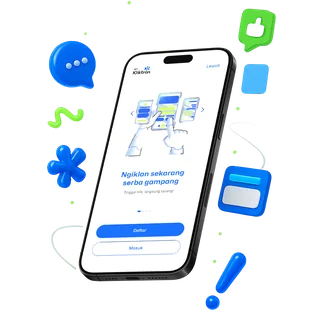 One Play JourneyFollow a 15-second spot from the phone where it is ordered to the counted audience.
 Product RoadmapWhat ships next, product by product. Direction, not commitments.

Let’s make it Broadplay,
Anyone,
Anywhere,
Anytime.
Ready to try it? Open the Klik App, or ask the team a question first.