 ®
Dark after a power cut
The screen stays black until someone walks over to restart it.
Run every indoor screen in the building from one computer per site, recover from power cuts without a technician, log what really played for tenants and sponsors, count the footfall and sell the airtime.
A building collects screens over the years: lobby, lifts, atrium, food court. Each one was installed by someone else, and none of them reports back.
The screen stays black until someone walks over to restart it.
New content means a visit to every screen, one by one.
A sponsor wants proof of airtime, and there is no record to export.
The rate card says busy. Nobody can say how busy.
Indoor players that look after themselves, a cloud console for the whole portfolio, and the data to price the space.
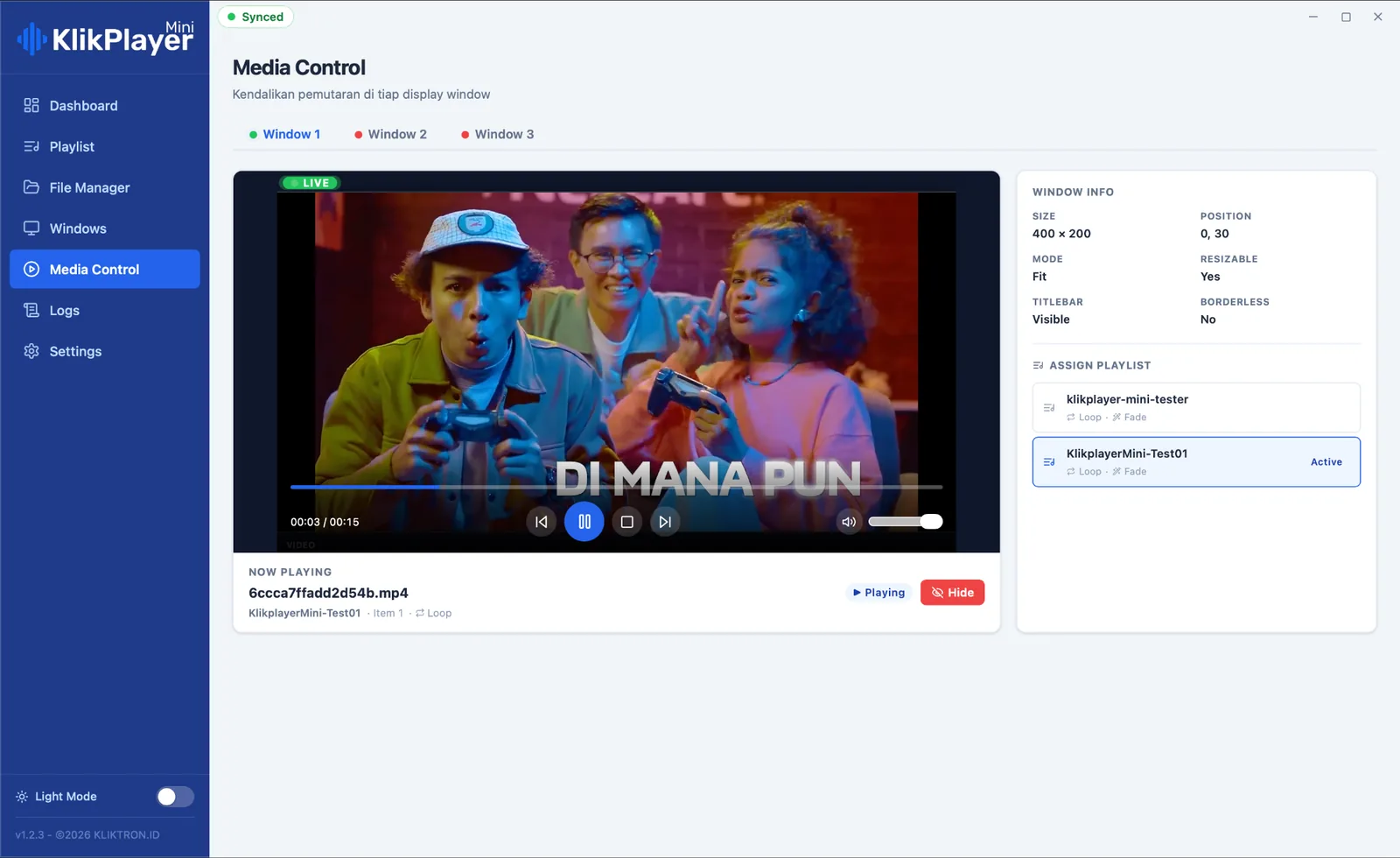
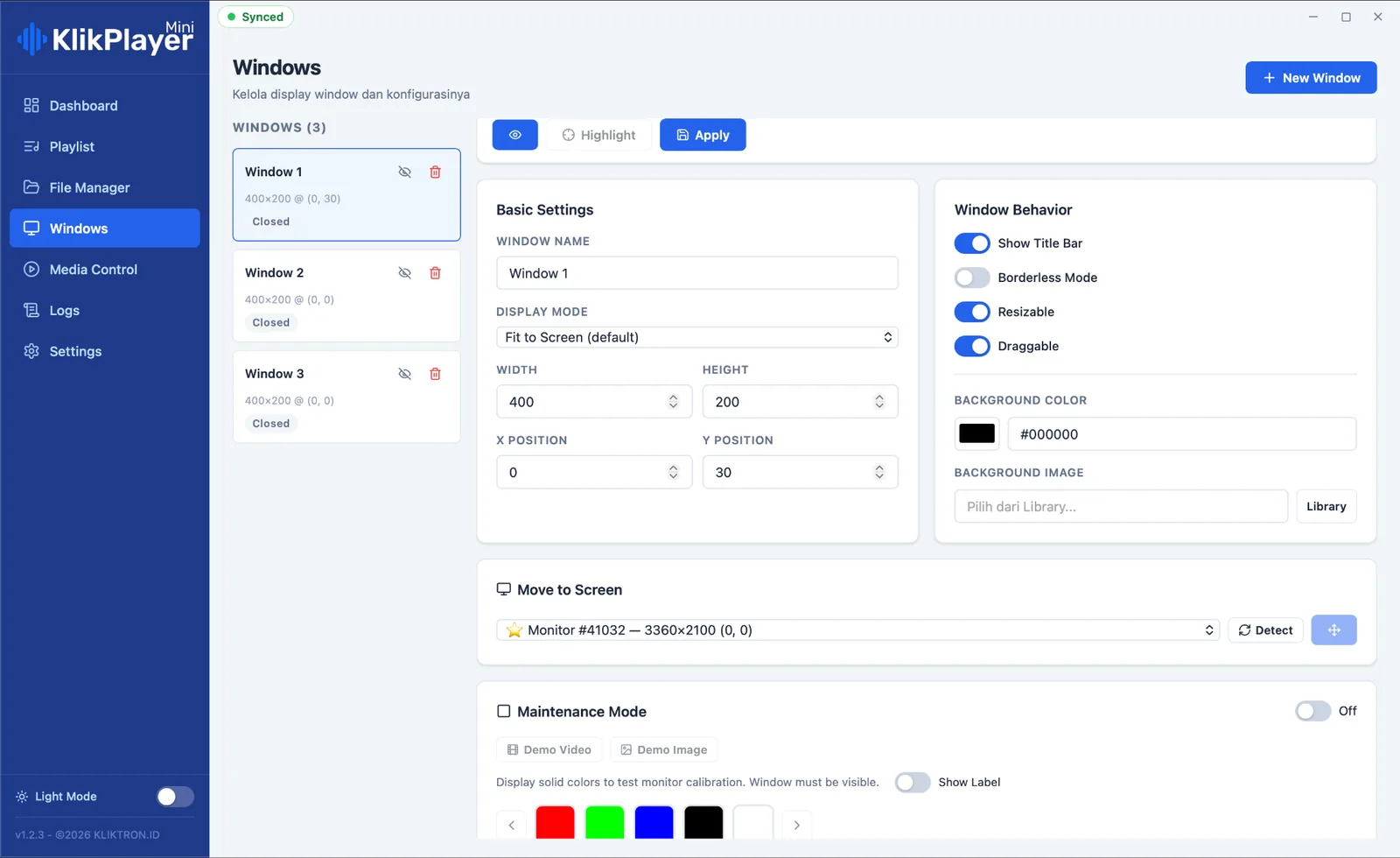
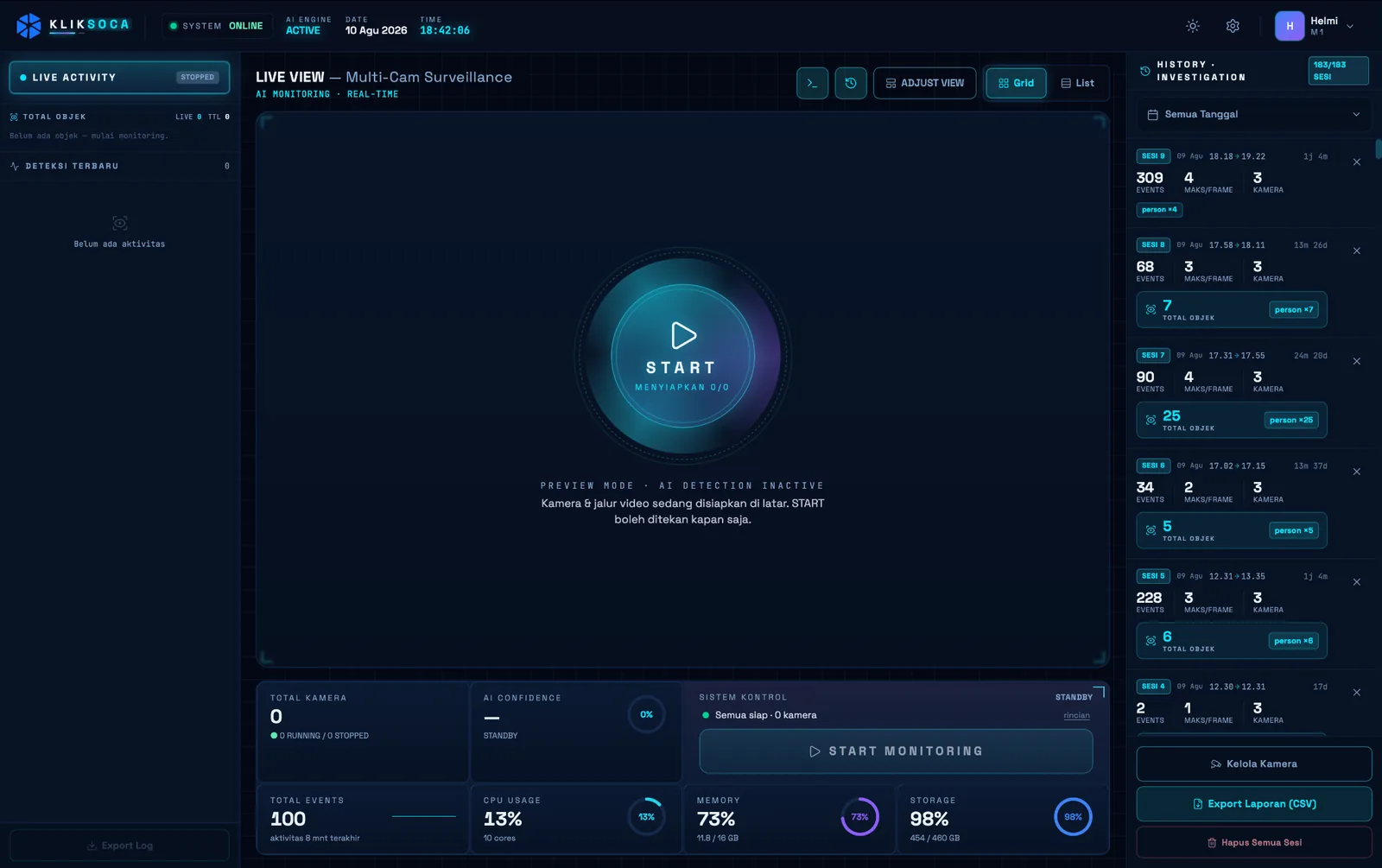
Klikplayer Mini Site drives several monitors from one machine, each in its own window with its own playlist. Screens start together on a shared cue, and the next item is loaded in the background, so there is no blank flash between items.
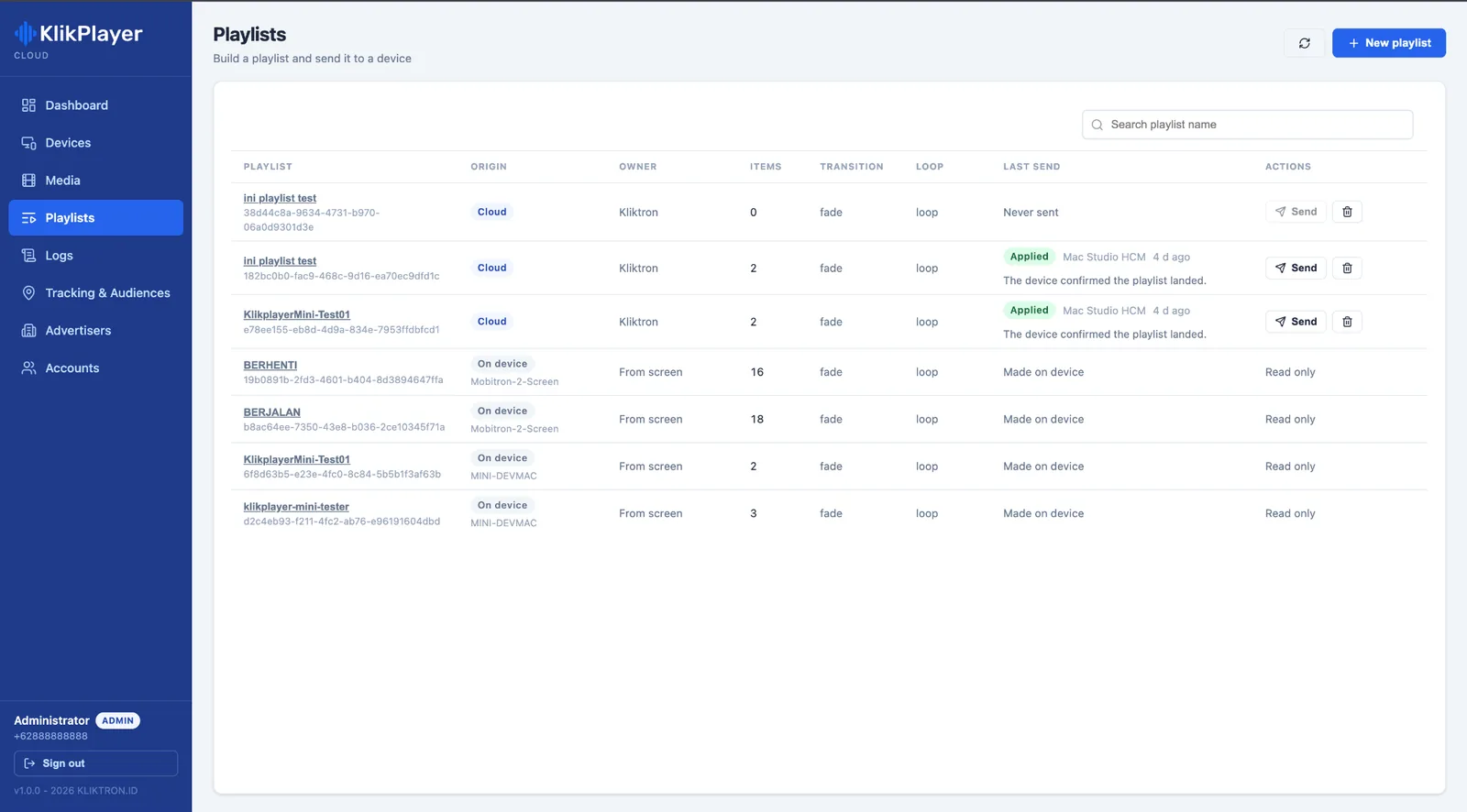
Klikplayer Mini Cloud runs the whole portfolio from a browser: upload media once, build playlists, push them to many devices at once and watch their status live.
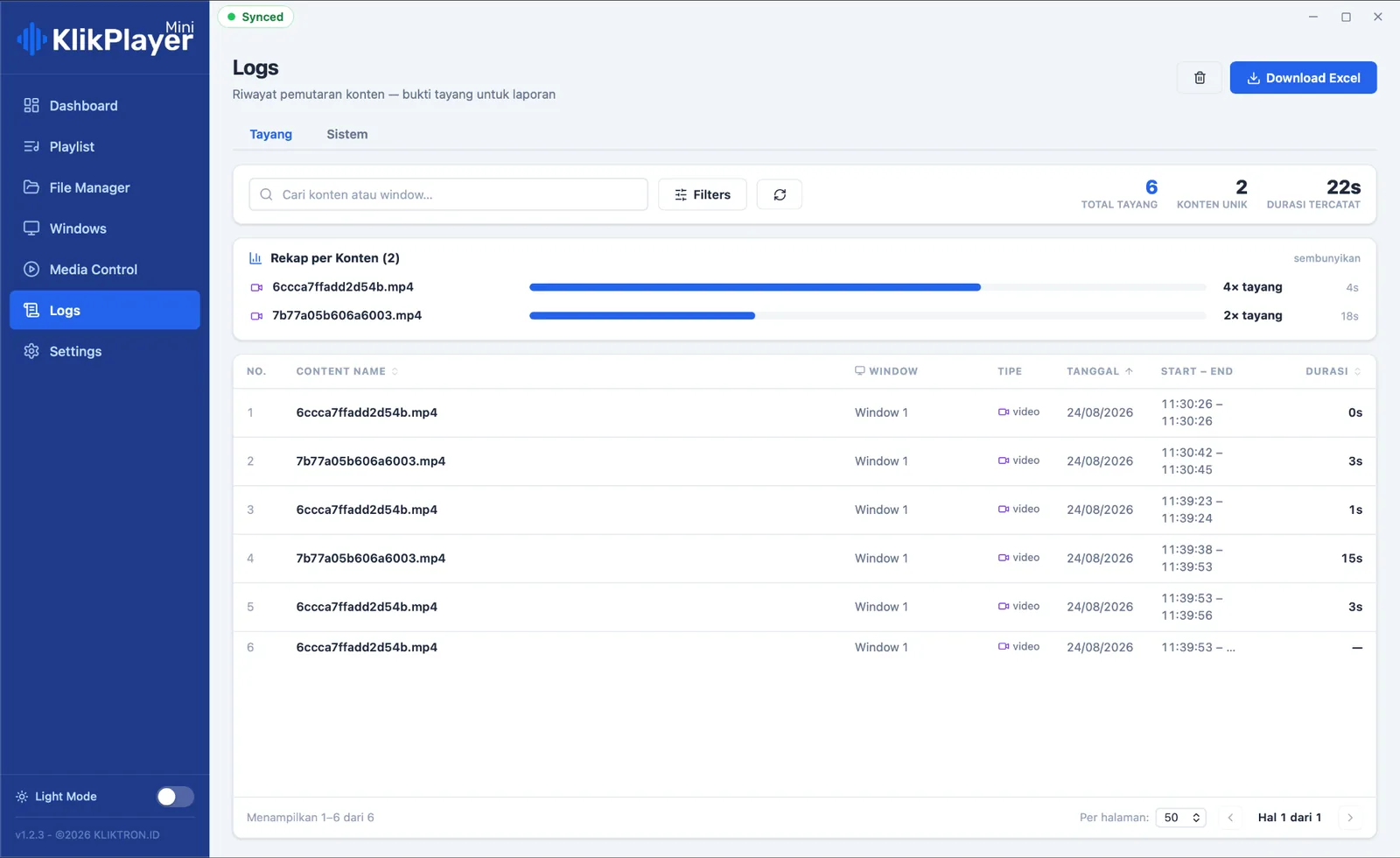
A log line is written only when the frame is actually on the screen, never estimated. Export the log per screen and period for a tenant, a sponsor or an audit.
Soca Insight On-Premise counts the people who pass, from a camera at the entrance or the atrium. The video is processed on site and never uploaded; only the counts reach the report.
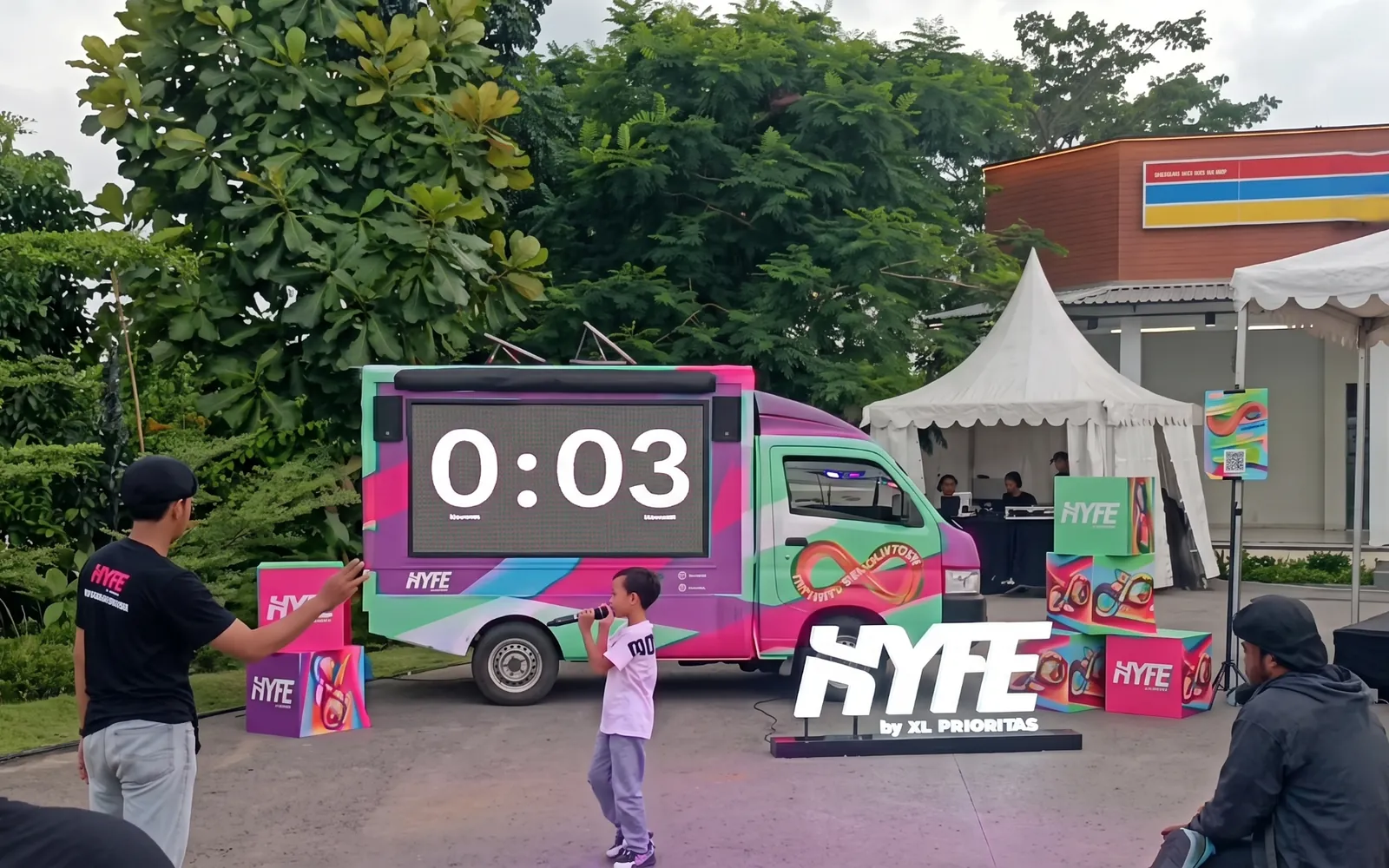
For events and launches, Photospace turns a screen into a branded photo moment that guests trigger from their own phones, and Game Interactive LED Screen puts a playable game in front of the crowd.

The player on site: several monitors, own playlists, exact play logs.
Explore Mini Site
Content, playlists, status and logs for every site, from one browser.
Explore Mini Cloud
Footfall counted from your own cameras, with the video kept in the building.
Explore On-Premise
A branded photo moment on an LED screen for events in the venue, quoted per event.
Explore Photospace LED
A photobooth with nothing to install: guests scan a QR and the photo reaches WhatsApp.
Explore Photospace
A game on the big screen that the crowd plays together, quoted per event.
Explore the game screenOnce every screen logs what it plays, airtime becomes something you can sell with confidence: to tenants promoting inside the building, to event sponsors, and to outside brands that want your visitors.
Counted footfall gives the rate a number, and the play log gives the buyer a record. Talk to us about bringing your screens into the Kliktron network as a commercial space placement.
Prove it in one building, then add the rest to the same console.
See the players, the cloud console, the logs and footfall counting on live data.
Together we list the screens, the computers that will drive them and where a counting camera can see the entrance.
Thirty days on one site or one camera, with the scope agreed at the start.
More sites join Klikplayer Mini Cloud, and your team learns playlists, logs and exports.
Screens go live once their play logs and counts run cleanly. Then the airtime is ready to sell.
Counting accuracy depends on camera angle, lighting and camera quality. LED activations are quoted per event. SLA follows the contract agreement.
No. Klikplayer Mini Site keeps its state and logs in a local database and runs on its own. The cloud adds remote control and central logs.
Yes. In Klikplayer Mini Cloud a tenant account sees only its own media, playlists and logs, and a viewer account can audit without changing anything.
No. The video is processed on the Mac in your building and never uploaded. Only the counts travel to the report.
Yes. Photospace LED Screen and Game Interactive LED Screen are quoted per event. Tell us the date, the venue and the crowd you expect.
Usually not. The player runs on a computer connected to the screens you have; we check the outputs and formats during the site walk.
Commercial SpaceMall facades, atriums and office districts: videotrons, indoor screens and on-site activations.Hospitality Public SpaceHotels, campuses, clinics and public halls: indoor screens for audiences that wait a while.Klikplayer Mini SiteIndoor screens that switch themselves back on, with a play log you can hand to a tenant. RetailIn-store screens that sell and measure: central content, supplier play logs and counted footfall.

See the players, the cloud console and footfall counting on live data in a 30-minute demo.