 ®

Kliktrack Desktop
The computer in the vehicle, now a GPS tracker.
Kliktrack Desktop reads a USB GPS receiver plugged into a macOS or Windows computer and sends each position to Kliktrack Cloud. No dedicated tracker, no extra SIM card, no permanent installation.
Get the highlights.
-
Hardware already on board
A laptop or mini PC already in the vehicle, plus a small USB receiver. No driver to install: the receiver appears as a serial port.
USBGPS receiver, supplied by the customer -
A queue that survives tunnels
Positions that cannot be sent are held and resent the moment the signal returns. A knocked cable reconnects by itself.
0buttons to press when the signal drops -
The conclusion before the numbers
The status card says Sending, Searching for satellites or Holding data, so the driver knows the state without reading a figure.
7detail tiles for the technician, from satellites to queue -
Route history on the computer
Every trip is saved locally and replays in the app without a network, parking stops included.
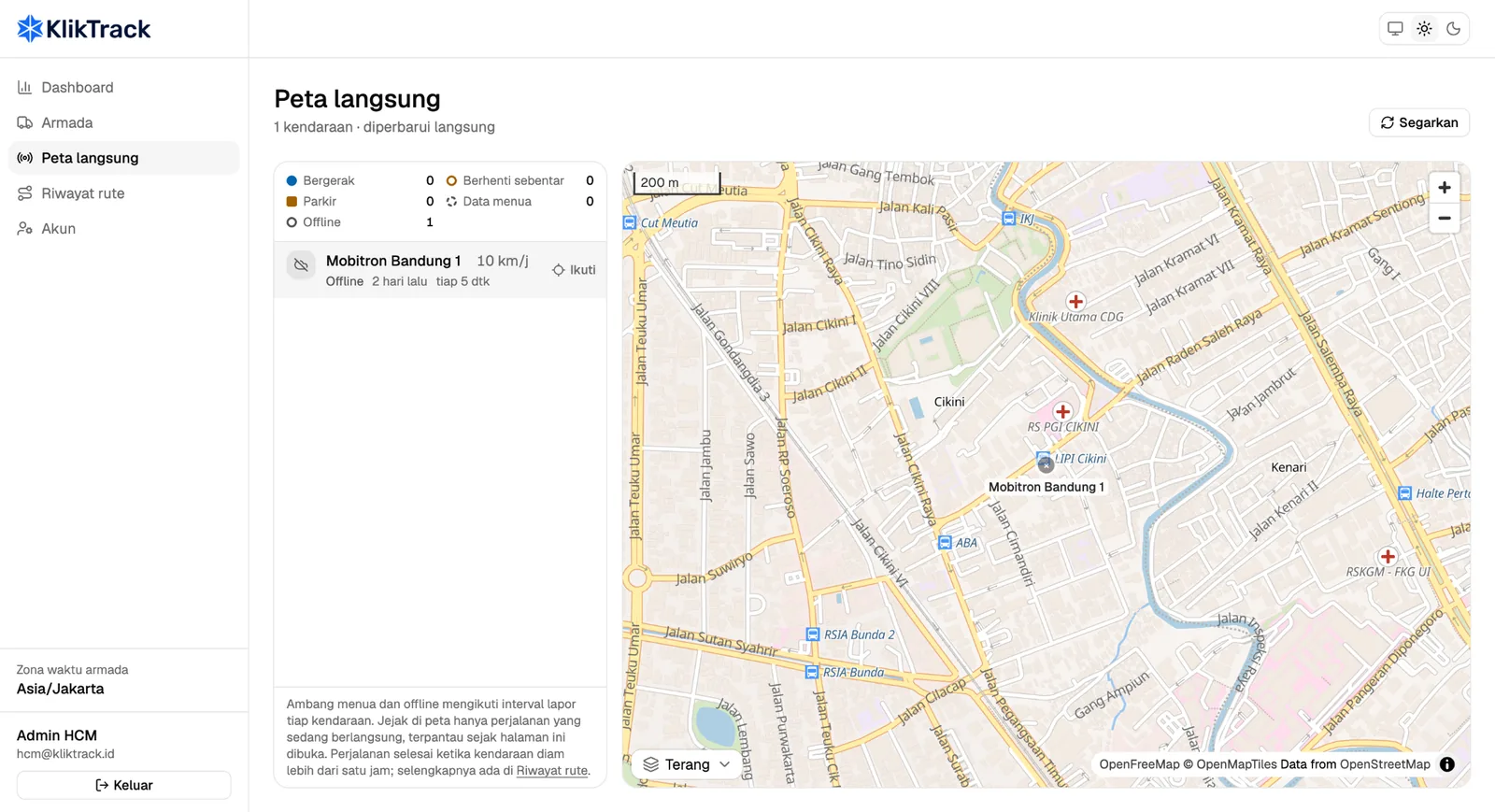
Route · Mōbitron Bandung 1Today24.5 km4 stops5 h 45 min on the road
Plug in, press Start, the route flows to the cloud.
Choose the GPS port, press Start, and positions are read and sent at your interval. The office reads the result in Kliktrack Cloud.
Pick the port, the app does the rest
The app lists the serial ports and selects a recognised GNSS receiver first. It counts the NMEA sentences coming in to prove the device on the cable really is a GPS receiver, and remembers the port and baud rate for the next morning.
- u-blox 6, 7 and 8 receivers recognised automatically
- Simulation mode to test credentials and network before the receiver arrives
Live position for the office
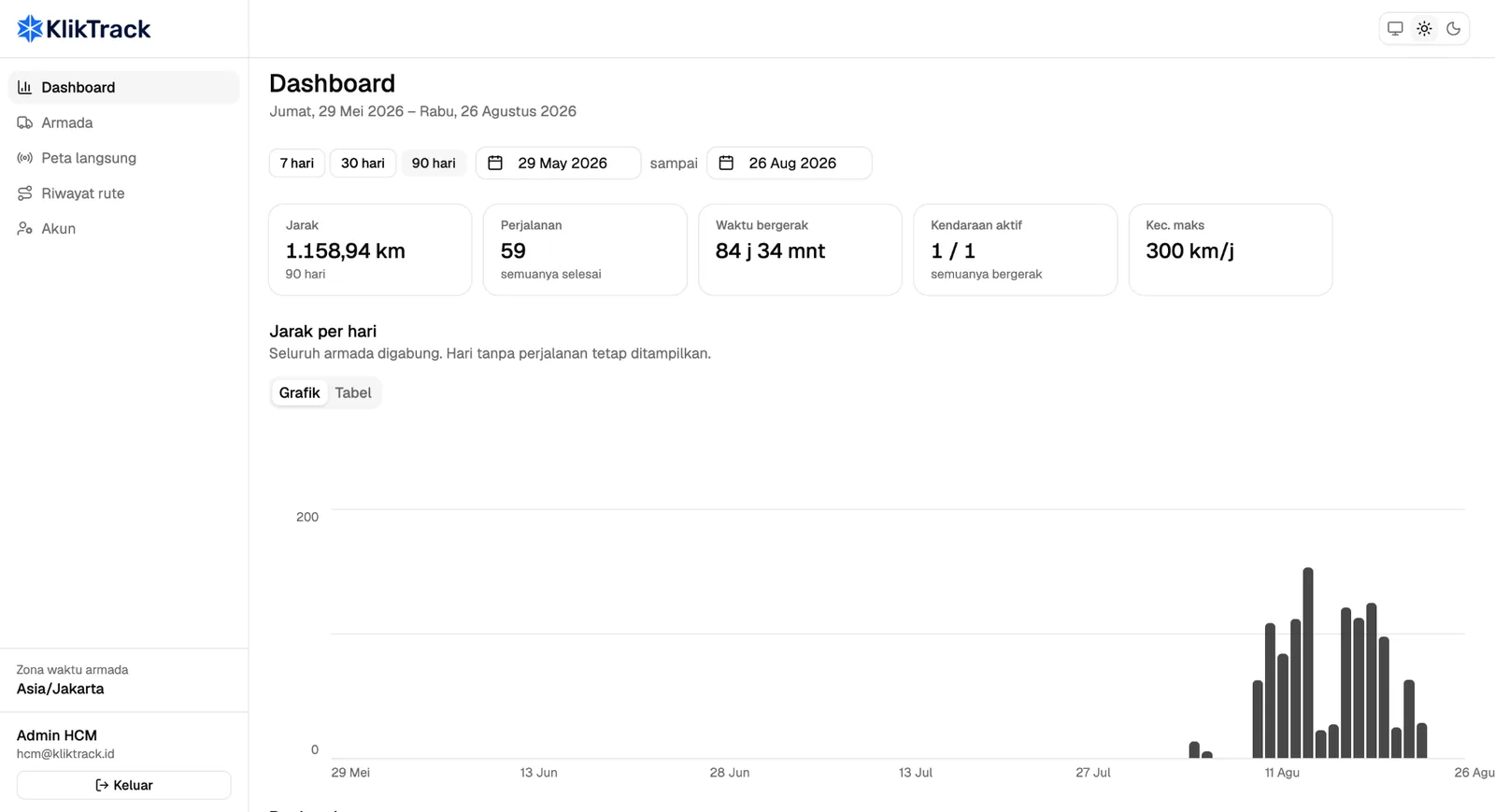
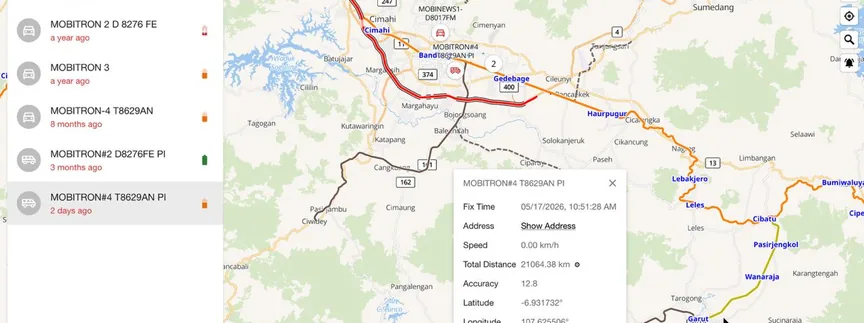
Kliktrack Cloud shows each vehicle as moving, stopped, stale or offline on the live map, judged against its own reporting rhythm. Follow one vehicle and the map stays with it.
- Updates without reloading the page
- Status by shape and text, never by colour alone
Every trip, with its stops
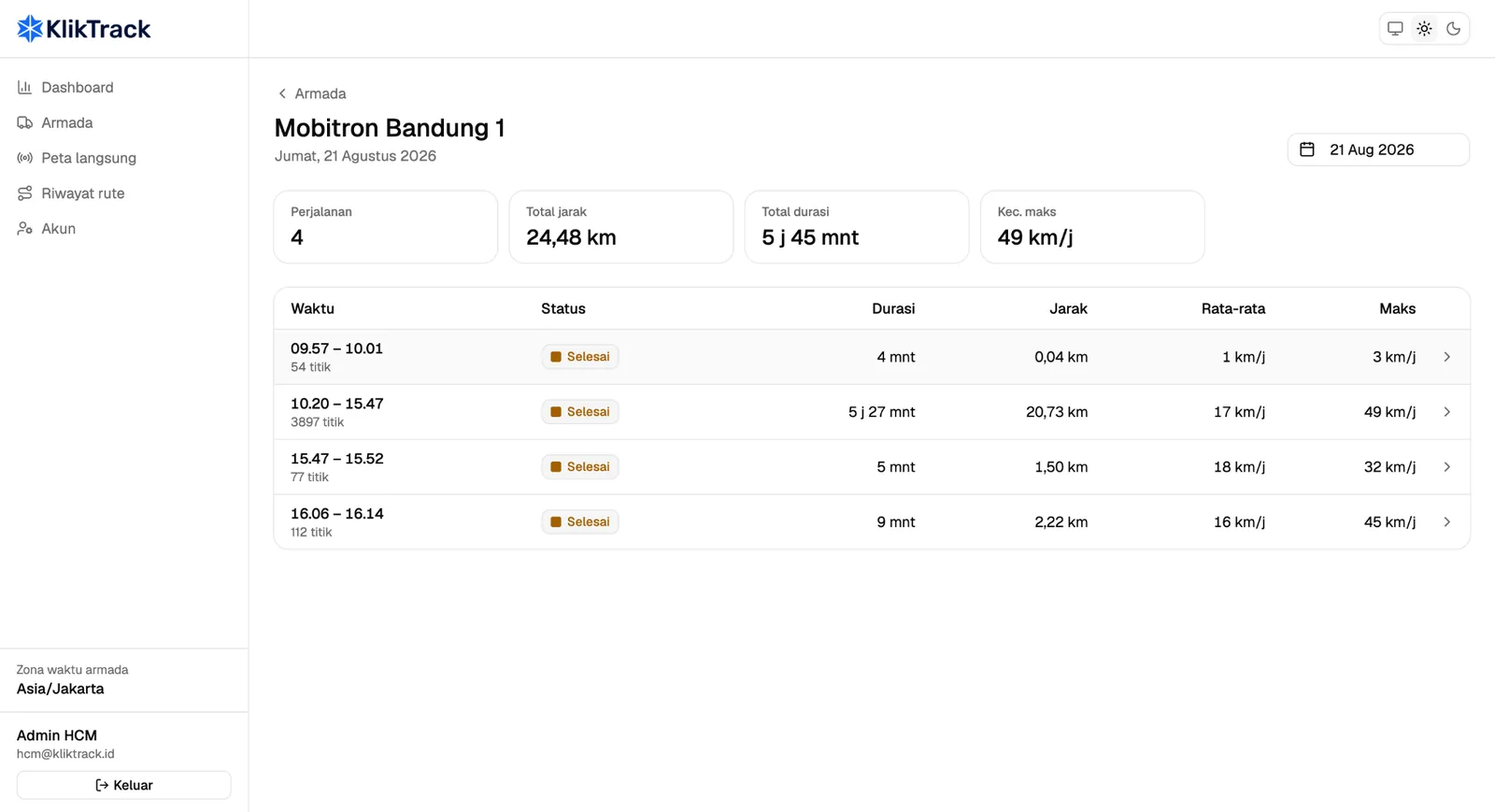
Points become trip sessions with distance, duration, top speed and two averages: one with stops included and one while moving. Every stop is listed with its arrival, departure and length.
- A stop longer than five minutes is marked P
- Replay the day and export every point to CSV
An interval you control
Send every 5 seconds and the route follows the shape of the road. Send every 5 minutes and you save data, but the line cuts across city blocks. Any interval from 1 second to 1 hour, set while tracking is stopped.
- At 60 km/h: about 83 m between points at 5 seconds, about 1 km at 1 minute
- Every 5 minutes uses about 1/60 of the data of every 5 seconds
Built for the road, not the desk.
Defaults chosen for a vehicle on the move, and every one of them visible on screen.
Installed once, then it just runs.
Installation, port calibration and driver training are a one-time fee per unit. The computer signs in once as the vehicle, with its plate number and vehicle password, and from then on opens straight to the main screen every morning.
- Device token stored in the macOS Keychain or Windows Credential Manager
- Closing the window keeps tracking; only Stop ends it
- Sends to Kliktrack Cloud, or to your own endpoint on the standalone plan
Included with Kliktrack Cloud, standalone when you need it.
Kliktrack Cloud customers run the desktop app at no extra cost. Without Cloud, pay per unit each month, or rent by the day for a campaign.
-
Best seller
BUNDLED
For Kliktrack Cloud customers
Included- Vehicle seat included
- Free updates
-
DESKTOP
Standalone desktop agent, macOS or Windows
$2.50per unit / month- Send to your own endpoint
- Local route history
- Technical support
-
MOBILE
Standalone mobile agent, Android or iOS
$1.94per seat / month- The driver’s phone, no extra device
- Route history on the phone
-
CAMPAIGN
Short-term rental, 7 days minimum
$0.25per unit / day- Made for activations
- Complete route proof
One-time fees and options
| Installation, port calibration and driver training | $19.44per unit, one-time |
|---|
Desktop needs a USB GPS receiver recognised by the operating system, supplied by the customer. Bundled applies while the Kliktrack Cloud subscription is active.
Prices exclude 11% VAT. US dollar prices are converted from rupiah at Rp 18,000 = $1; invoices are issued in rupiah.
The dashboard behind the app, priced per vehicle.
Kliktrack Cloud is where the office reads the fleet: live map, trip sessions with stops and dwell time, route replay and the integration API.
-
SMALL
1 to 10 vehicles · 90-day retention
$8.06per vehicle / month- Full map and reports
- Driver app included
-
MEDIUM
11 to 50 vehicles · 180-day retention
$6.39per vehicle / month- Save 21% per unit
- Priority support
-
LARGE
51 to 200 vehicles · 1-year retention
$4.72per vehicle / month- API access
- Account manager
-
ENTERPRISE
More than 200 vehicles
$3.61per vehicle / month- Custom integration
- SLA follows the contract agreement
Vehicles are counted as units active in the month. Volume discounts apply to a 12-month commitment. The system tracks vehicles, not parcels or deliveries, and position accuracy depends on GNSS quality and the data network.
Prices exclude 11% VAT. US dollar prices are converted from rupiah at Rp 18,000 = $1; invoices are issued in rupiah.
Tech specs.
Computer
- Operating system
- macOS 10.13 or later (Intel and Apple Silicon builds), Windows 10 or 11
- Processor
- Intel Core i3, Apple M1 or equivalent
- Memory
- 4 GB RAM minimum, 8 GB recommended
- Storage
- 500 MB free minimum
- Ports
- One free USB-A port
GPS receiver
- Recognised
- u-blox 6 · u-blox 7 · u-blox 8
- Also works
- Any USB GNSS receiver that outputs NMEA 0183 and appears as a serial port
- Sentences
- RMC · GGA
- Drivers
- None to install
- Supplied by
- The customer
Tracking
- Send interval
- 1 second to 1 hour, 5 seconds by default
- Offline queue
- Held on the computer, resent when the signal returns
- Baud rate
- 4800 to 115200, 9600 by default
- Parking stop
- Still for more than 5 minutes, marked P
- Simulation
- Built-in test route, clearly flagged on screen
Connection
- Destination
- Kliktrack Cloud over HTTPS; your own endpoint on the standalone plan
- Network
- Cellular modem or tethering, interruptions tolerated
- Maps
- OpenFreeMap
- Privacy
- No telemetry, no automatic updates, nothing sent to third parties
Questions, answered.
Any USB GNSS receiver that outputs NMEA 0183 and appears as a serial port. u-blox 6, 7 and 8 receivers are recognised automatically. The receiver is supplied by you.
Without signal, the status turns to Holding data and every position is sent once the network returns. If the receiver disconnects, the status shows it and the app reconnects by itself. Nothing needs to be pressed.
Yes. While tracking runs, closing the window only minimises the app, so the rest of the trip still reaches the fleet map. To quit, press Stop first.
Yes. On the standalone Desktop plan the app sends to your own endpoint; the address is set when the app is prepared for you, not typed in the vehicle. With Kliktrack Cloud, your systems read routes through the integration API.
No. One vehicle has one installation. A new sign-in for the same plate retires the token of the previous device, which then stops sending.
It generates a test route so a technician can check the plate, password, network and permissions before the receiver is fitted. Never use it on a vehicle at work: simulated positions are recorded as real ones.
Keep exploring, related pages.
Kliktrack MobileThe driver’s phone becomes the tracker. No device to install, and the route flows to Kliktrack Cloud. MōbitronMoving videotrons and hyperlocal activation that take the campaign to the crowd, with every route tracked.Mobile Out-of-HomeMōbitron screens that travel to the crowd, with every route, stop and stop time tracked.
 TechnologyPlayers, cameras, tracking and the AOS core, explained for technical teams, integrators and investors.

Let’s make it Broadplay,
Anyone,
Anywhere,
Anytime.
See a USB receiver put a vehicle on the fleet map in a 30-minute demo.