 ®

Klikplayer Mini Cloud
Change content on a hundred screens from one office.
Run your whole fleet of Klikplayer Mini Site screens from a browser. Upload media, build playlists, send them out, then pull back the record of every play.
Get the highlights.
-
One media library
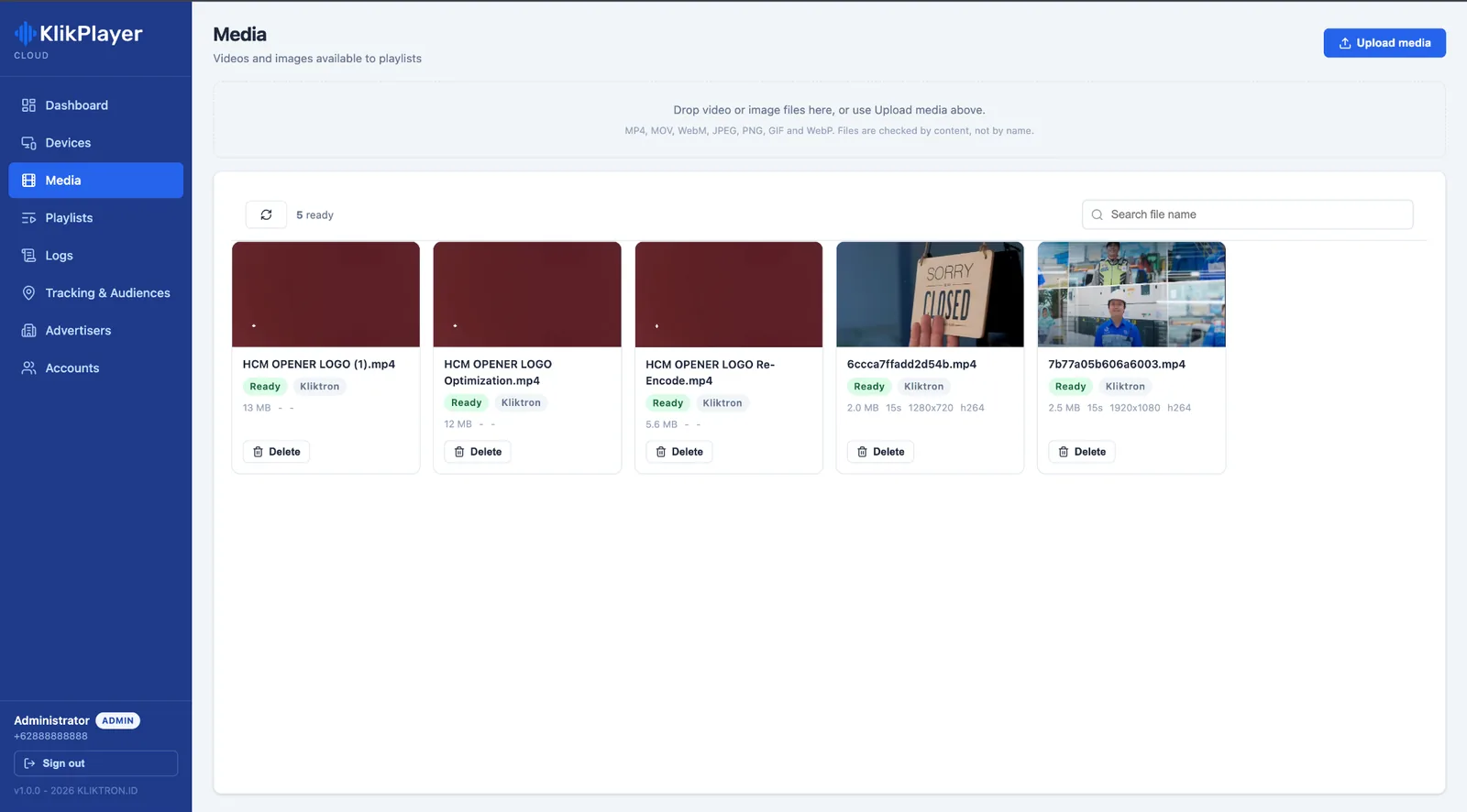
Upload once to a central library with a storage quota per account. Duplicates are caught by their content, not their name.
-
Send to many devices at once
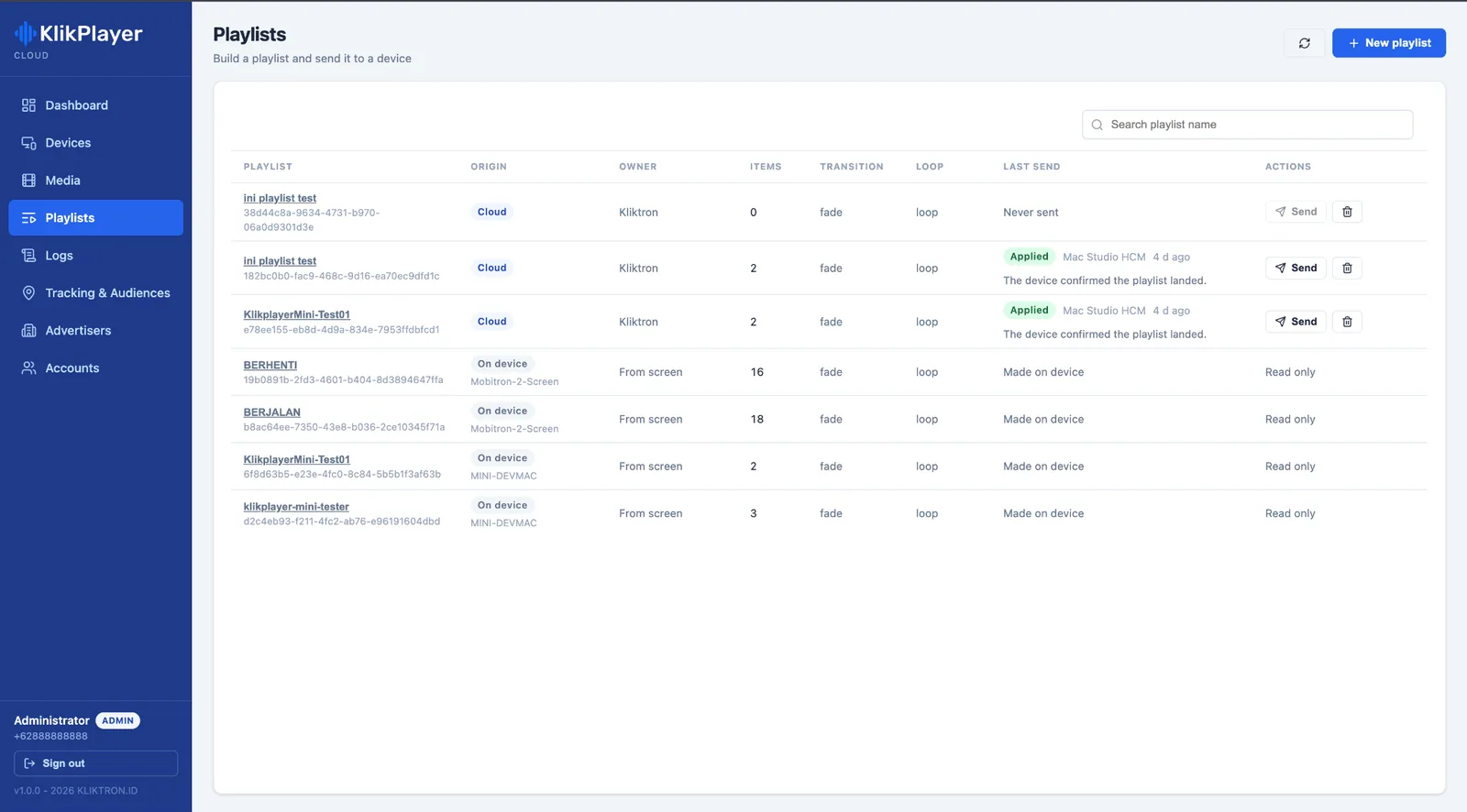
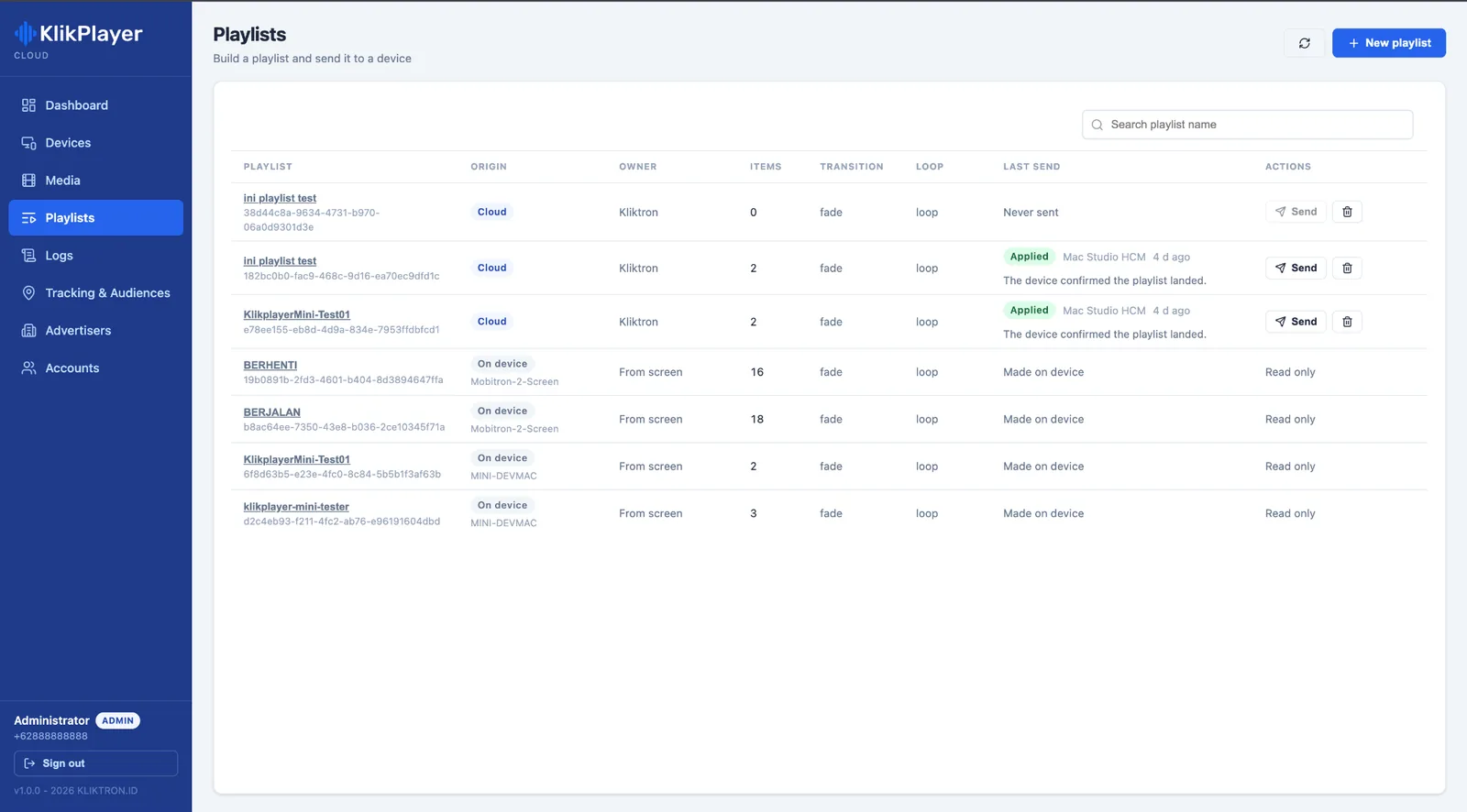
Build a playlist in the cloud and send it out. Each device confirms when it has received and applied it.
-
The fleet, live
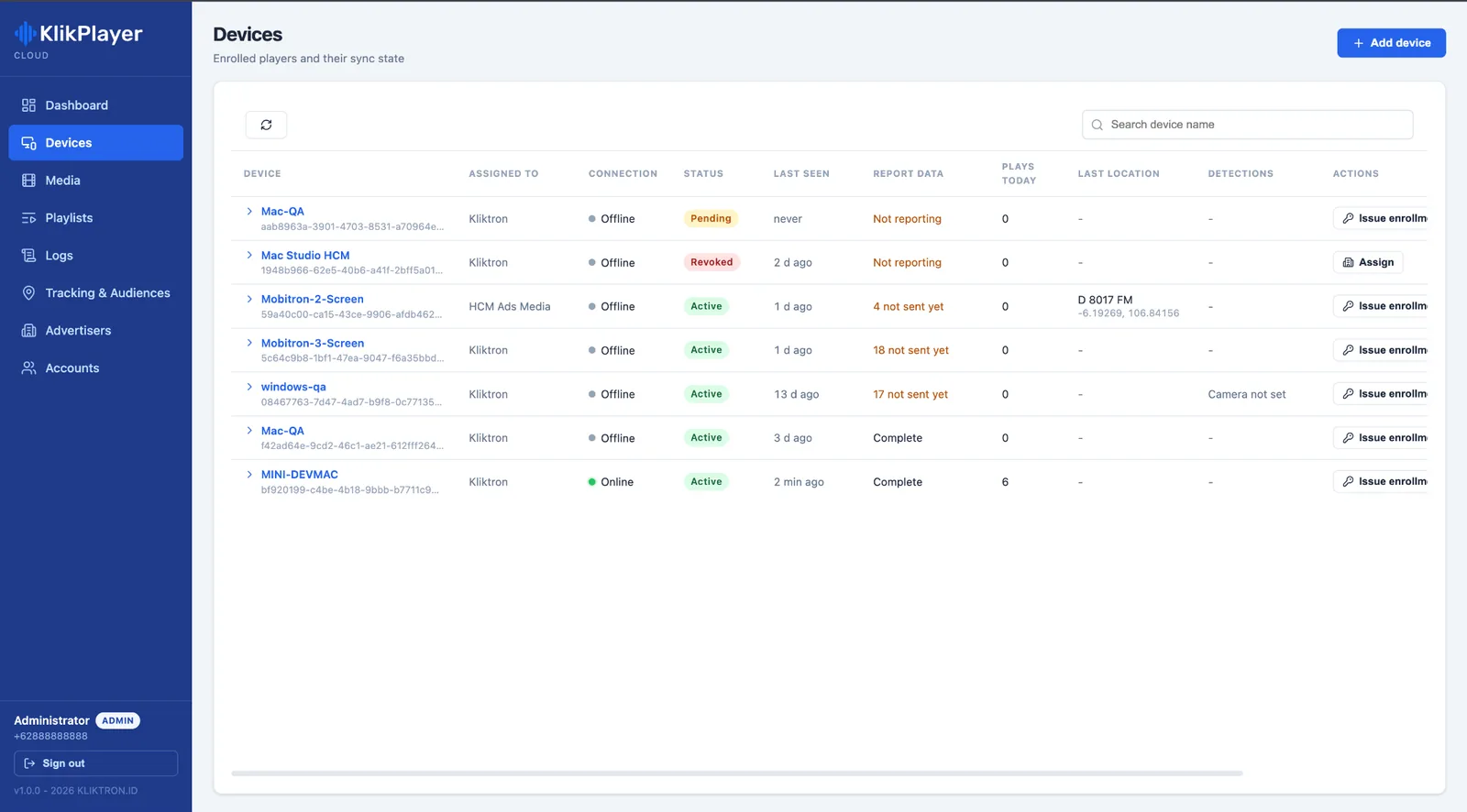
Online or offline, last seen, logs not sent yet and plays today, for every device in one table.
-
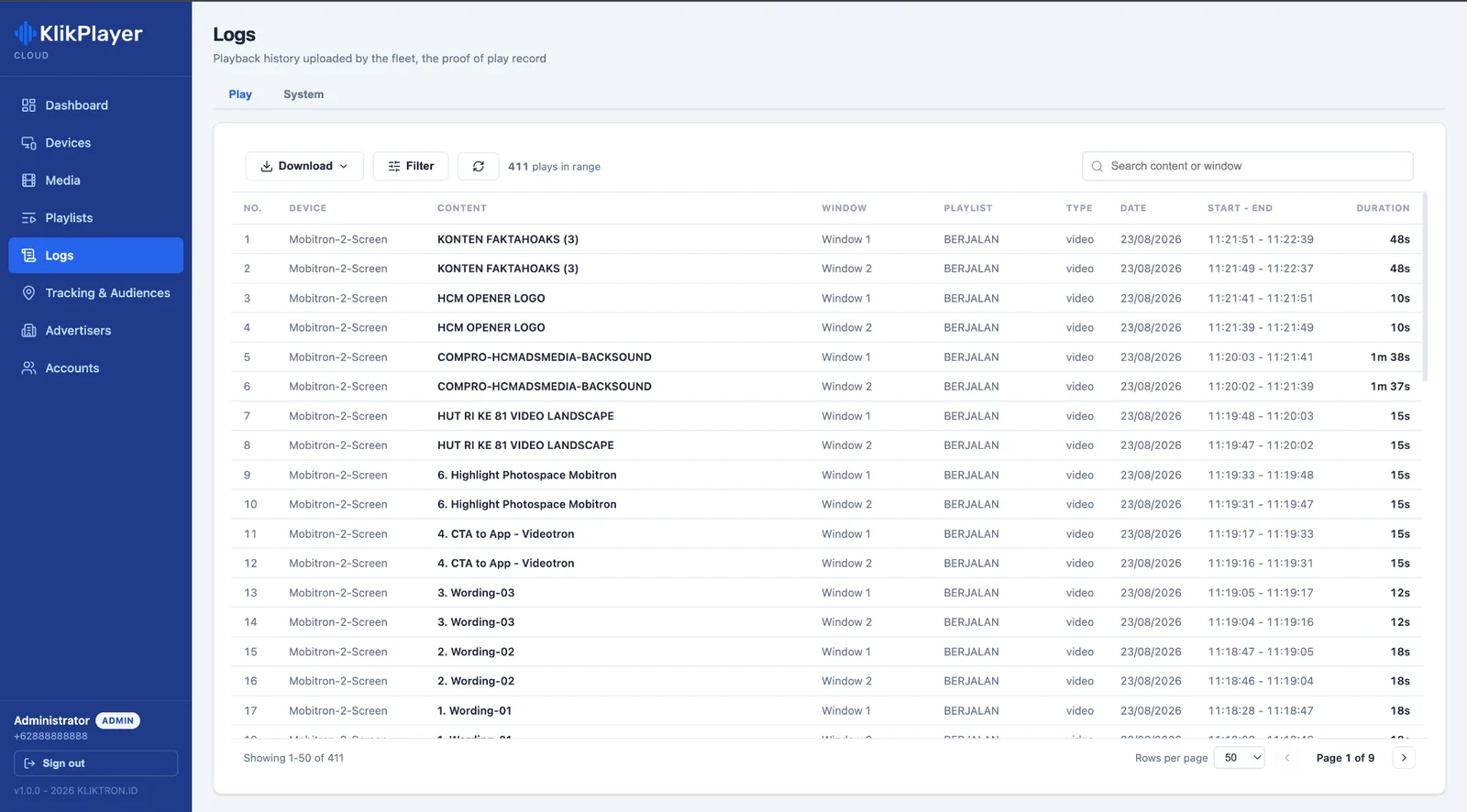
Proof you can download
Every play with device, window, playlist, start, end and duration, exported as PDF or Excel.
From upload to proof, in one browser tab.
Klikplayer Mini Cloud is the office side of Klikplayer Mini Site. The players keep running on site, the cloud tells them what to play and collects what they did.
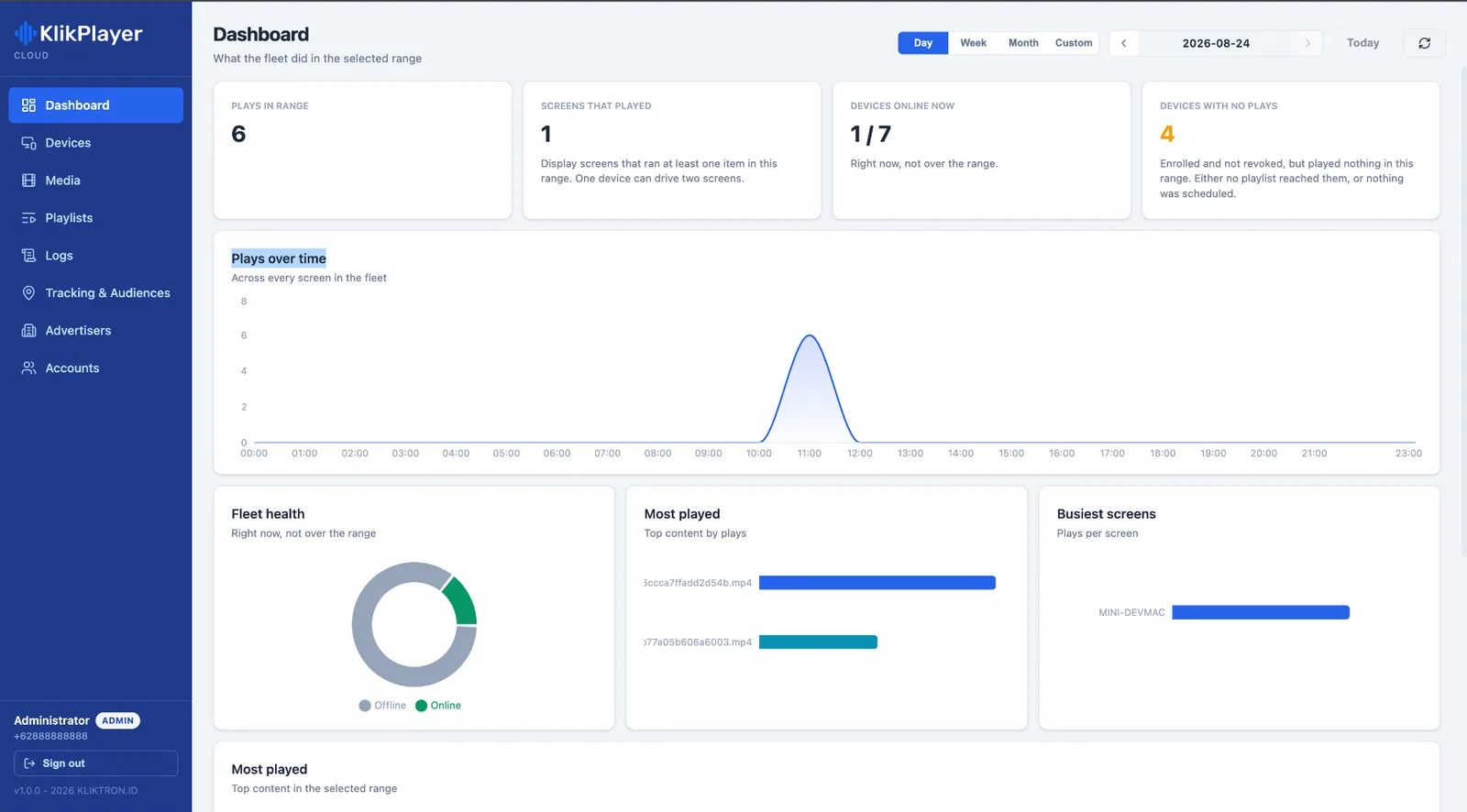
A dashboard for the whole fleet
See plays in the chosen range, screens that played, devices online now and devices with no plays. Charts show plays over time, fleet health, the most played content and the busiest screens.
- Day, week, month or a custom range
- Devices with no plays stand out
Devices enrolled with a one-time code
Add a device, issue an enrolment code and enter it in the player on site. From then on the device reports its connection, the logs still waiting to be sent and its plays today.
- Active, pending or revoked status
- Assign a device to an advertiser
Media and playlists, sent and confirmed
Upload MP4, MOV, WebM, JPEG, PNG, GIF or WebP files. Arrange them in a cloud playlist with a transition and loop mode, press Send, and watch each device turn to acked once it has applied the change.
- Playlists made on a device stay read-only in the cloud
- A command is never applied twice
Proof of play and system events
The Play tab lists every airing across the fleet, filtered by device or date. The System tab gathers events by level and source, ready to send to support.
- PDF or Excel, up to 20,000 rows per export
- Logs from offline devices arrive later, without duplicates
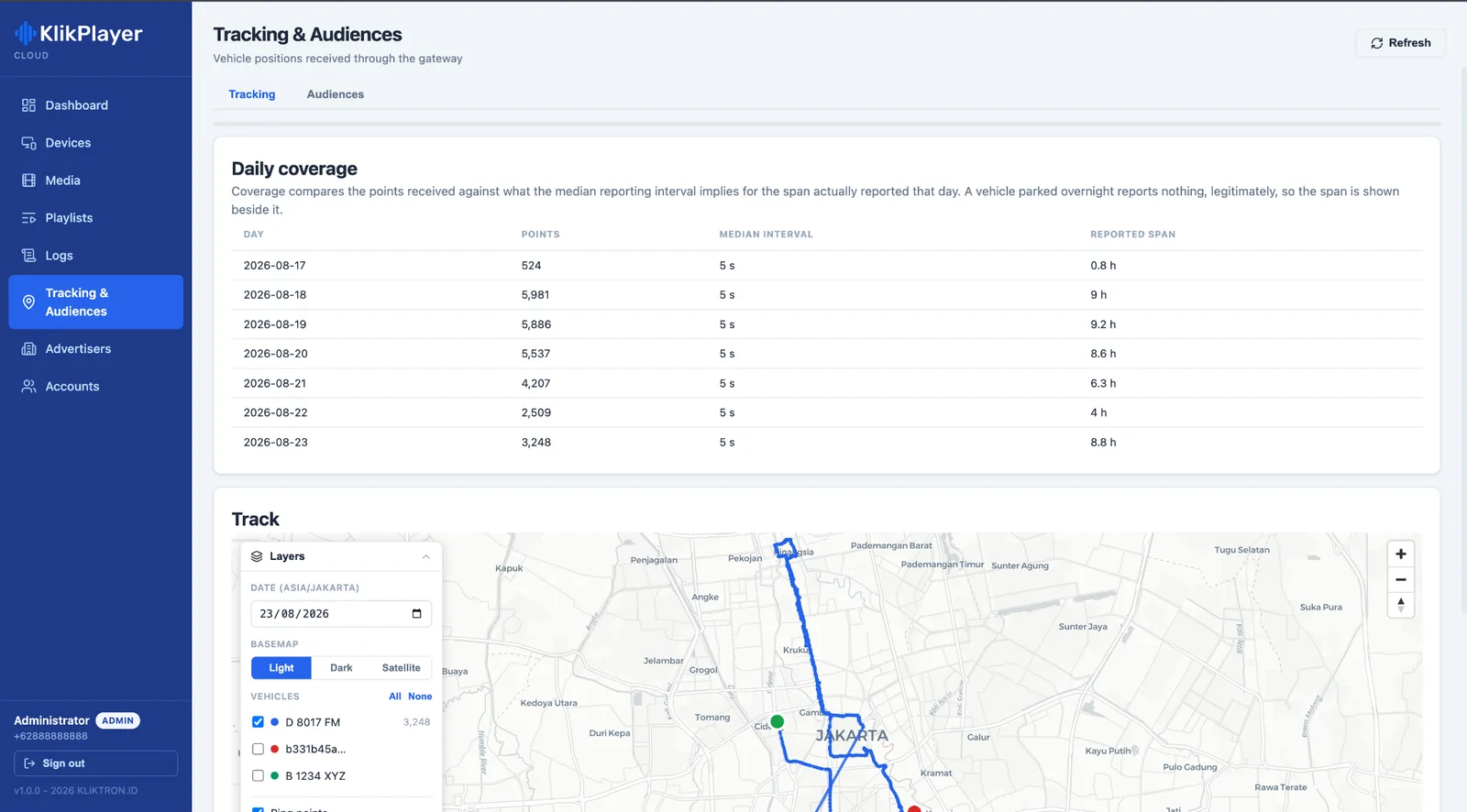
Tracking and audiences in the same place
When screens ride on vehicles, Kliktrack routes appear on a map with daily coverage. Where Soca Insight counts the street, its sessions and hourly recap sit beside the plays.
- People and vehicles by type, per session
- Visible only to the advertiser who owns the data
Every advertiser in a room of their own.
Give each advertiser or agency their own accounts. They see their media, playlists, devices, logs and tracking data, and nothing that belongs to anyone else. Viewers can audit everything without changing anything.
- Admin, Advertiser and Viewer roles
- Sign in with a one-time code on WhatsApp, no passwords
- End a contract and every linked account is signed out at once

Four steps from the office to every screen.
The same loop for one screen in one venue or a network across many.
- 01
Enrol
Issue a one-time code and enter it in Klikplayer Mini Site on site.
- 02
Upload
Drop video and images into the central library.
- 03
Send
Build a playlist and send it. Devices pull it and confirm.
- 04
Prove
Download the play log for the client, the tenant or the sponsor.
Priced per connected device, storage included.
Each tier includes a storage quota for the account. Storage beyond the quota is billed per GB on the next invoice.
-
BASIC
Up to 10 devices · 50 GB storage
$8.33per device / month- Playlist deployment
- Proof-of-play log
-
Best seller
PRO
Up to 50 devices · 250 GB storage
$6.67per device / month- Advertiser and team accounts
- Audience reports
-
SCALE
Up to 200 devices · 1 TB storage · local cache required
$5per device / month- API access
- Account manager
-
ENTERPRISE
More than 200 devices · dedicated storage · local cache required
$4.44per device / month- Dedicated storage
- Integration with your systems
- SLA follows the contract agreement
One-time fees and options
| Storage over quota, BASIC | $0.42per GB |
|---|---|
| Storage over quota, PRO | $0.33per GB |
| Storage over quota, SCALE | $0.25per GB |
Devices are counted from the units actively connected in the current month and must run a supported version of Klikplayer Mini Site. SCALE and ENTERPRISE need a local cache on site, which we scope with you.
Prices exclude 11% VAT. US dollar prices are converted from rupiah at Rp 18,000 = $1; invoices are issued in rupiah.
Tech specs.
Application
- Type
- Cloud web application, nothing to install
- Browsers
- Chrome · Edge · Firefox · Safari
- Screen
- 1280 × 720 minimum, 1920 × 1080 recommended
Media
- Formats
- MP4 · MOV · WebM · JPEG · PNG · GIF · WebP
- Duplicates
- Detected by SHA-256 content hash
- Storage
- Quota per account, set by the tier
Fleet
- Players
- Klikplayer Mini Site
- Enrolment
- One-time code per device
- Delivery
- Commands queued, pulled by the device and acknowledged
- Offline devices
- Keep playing, logs resume without duplicates
Access and reports
- Sign-in
- One-time code on WhatsApp, 5 attempts per code
- Roles
- Admin · Advertiser · Viewer
- Exports
- Play log in PDF or Excel, system events in Excel, up to 20,000 rows
- Integrations
- Kliktrack · Soca Insight
Questions, answered.
It keeps playing the playlists already stored on the machine and holds its logs on disk. When the line returns, it sends them on from where it stopped, without duplicates.
Yes. Klikplayer Mini Cloud manages computers that run Klikplayer Mini Site. The site licence and the cloud connection are billed separately.
No. Every read is filtered by the advertiser the account belongs to, so each one sees only their own media, playlists, devices, logs and tracking data.
The quota is counted per account across all your media, and the storage above it is billed per GB on the next invoice at the rate of your tier.
API access comes with the SCALE tier, and ENTERPRISE adds integration with your own systems. Tell us what you want to connect and we will scope it.
Keep exploring, related pages.
 Klikplayer Mini SiteIndoor screens that switch themselves back on, with a play log you can hand to a tenant.
 Soca Insight CloudDetection jobs run on a network of partner GPUs and come back as audience analytics.
 Kliktrack MobileThe driver’s phone becomes the tracker. No device to install, and the route flows to Kliktrack Cloud.Commercial SpacesScreens for malls, venues and public buildings: self-recovering players, tenant play logs and counted footfall.

Let’s make it Broadplay,
Anyone,
Anywhere,
Anytime.
See a fleet of indoor screens change content from one browser in a 30-minute demo.