 ®

Soca Insight Cloud
Audience analytics, computed on idle GPUs.
Soca Insight Cloud sends each detection job to a network of partner machines, then serves the results as dashboards and reports. You pay for the minutes that were processed, and a failed job costs nothing.
Get the highlights.
-
Jobs find their machine
Submit a detection job and the system finds a partner worker to process it. No GPU to buy, no server to run.
GPUcapacity supplied by partner machines -
Four clear states
Every transaction reads Pending, Processing, Success or Failed. A successful job shows its count per object type and the engine that did the work.
4transaction states, visible to you -
Failed is never billed
The billing unit is a minute of video processed successfully. A job that fails is not charged.
0charged for a failed job -
Idle GPU, new income
Own a machine with a GPU that sits idle? Register it as a Soca Worker and earn a share of every job it completes.
60%of the revenue share to the partner
Send the work out, get the numbers back.
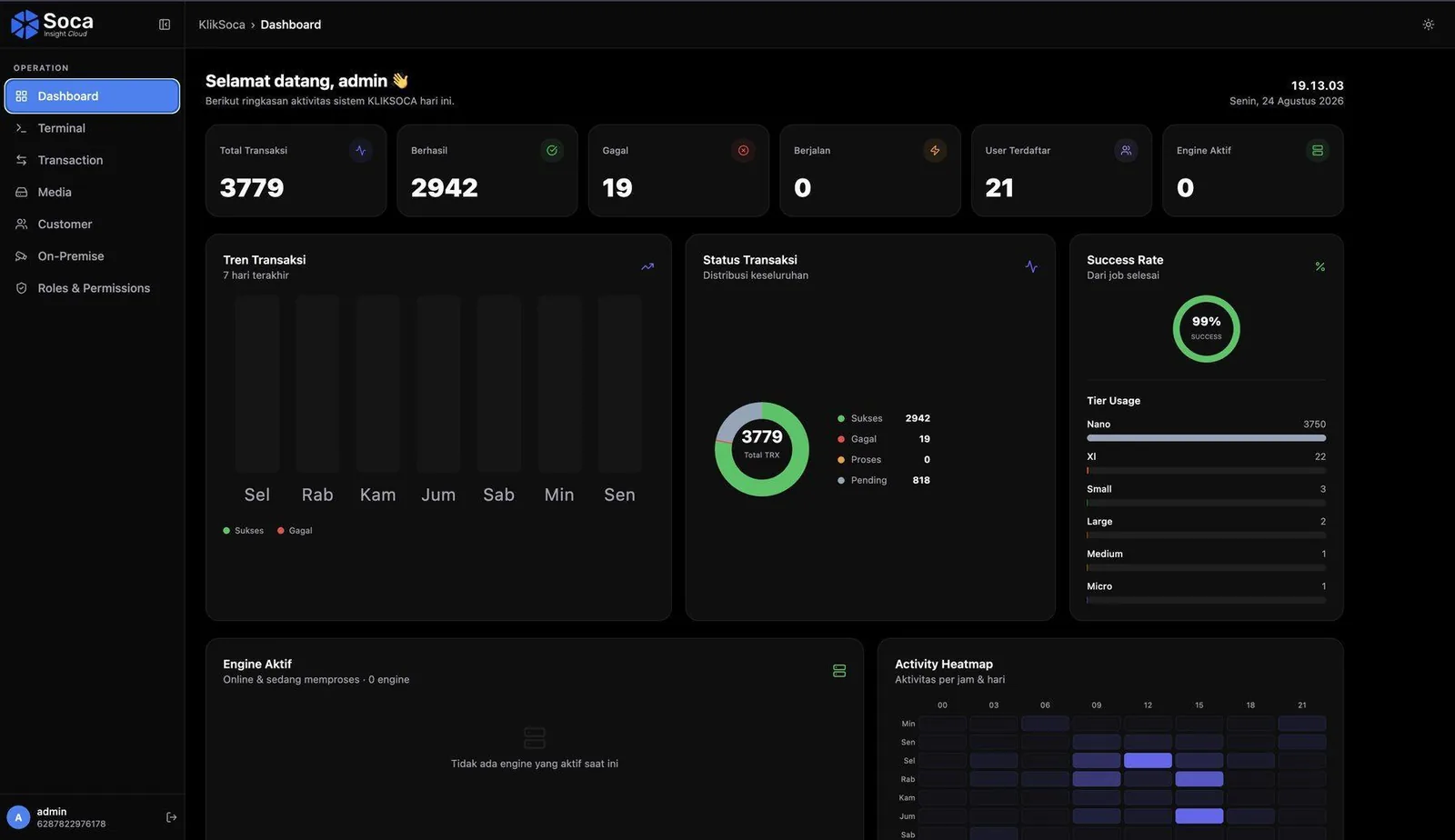
One dashboard serves four roles: customers who order jobs, clients who read their audience, partners who supply the computing power and administrators who keep it all running.
Transactions, from Pending to Success
Each transaction is one detection job with its id, its date and time and a status badge. Customers see their own, administrators see all. A successful job lists the result per object type, for example cars or people, with the engine that processed it.
- Pending, Processing, Success, Failed
- Seven-day trend, success rate and hourly heatmap
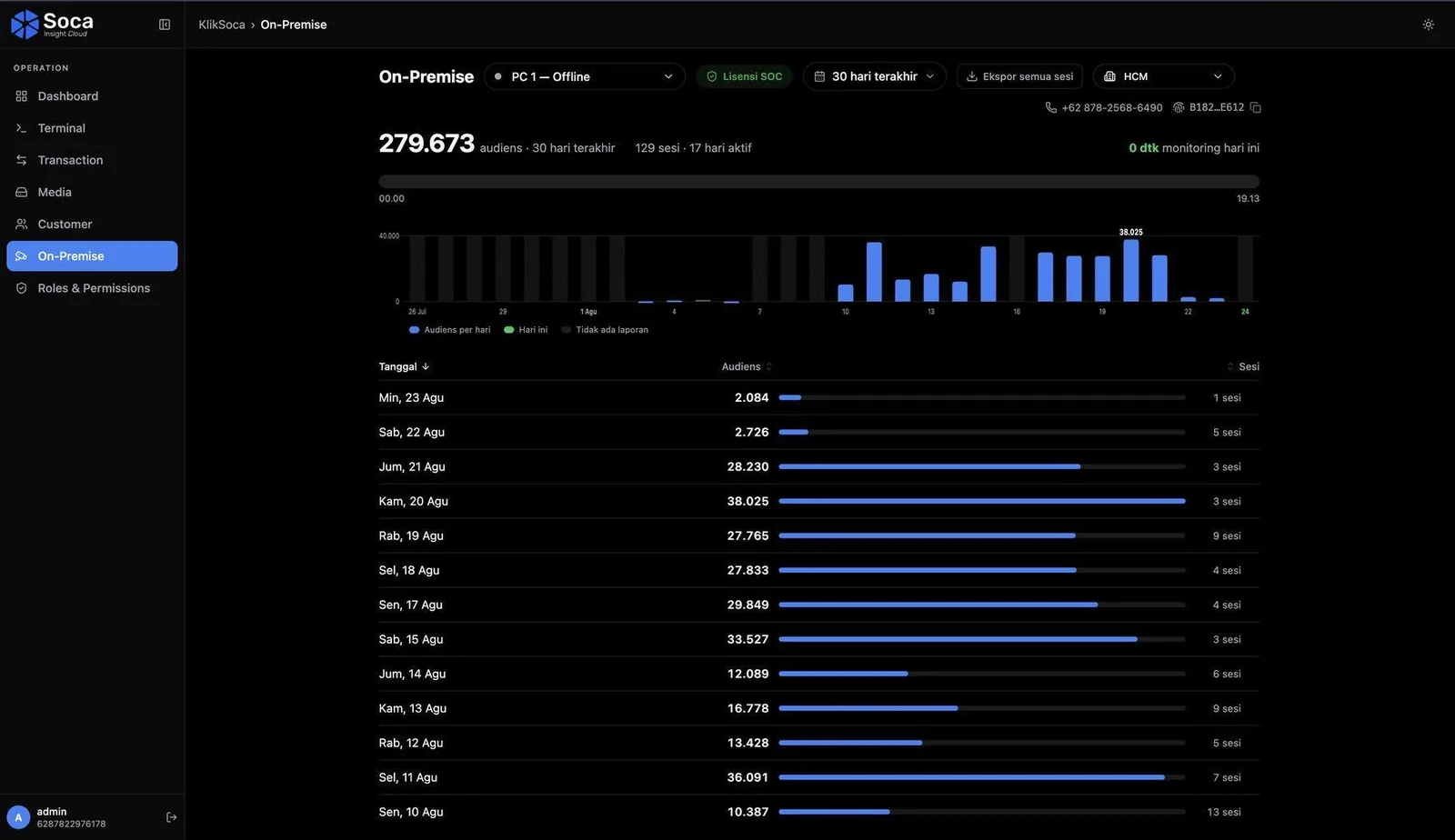
Audience per device and per period
Choose a device and a date range, then read the audience per day, the sessions behind it and the hourly breakdown. Counts from Soca Insight On-Premise arrive on their own, so nobody uploads anything.
- Daily audience chart with sessions per day
- Export every session for reporting
Workers you can watch
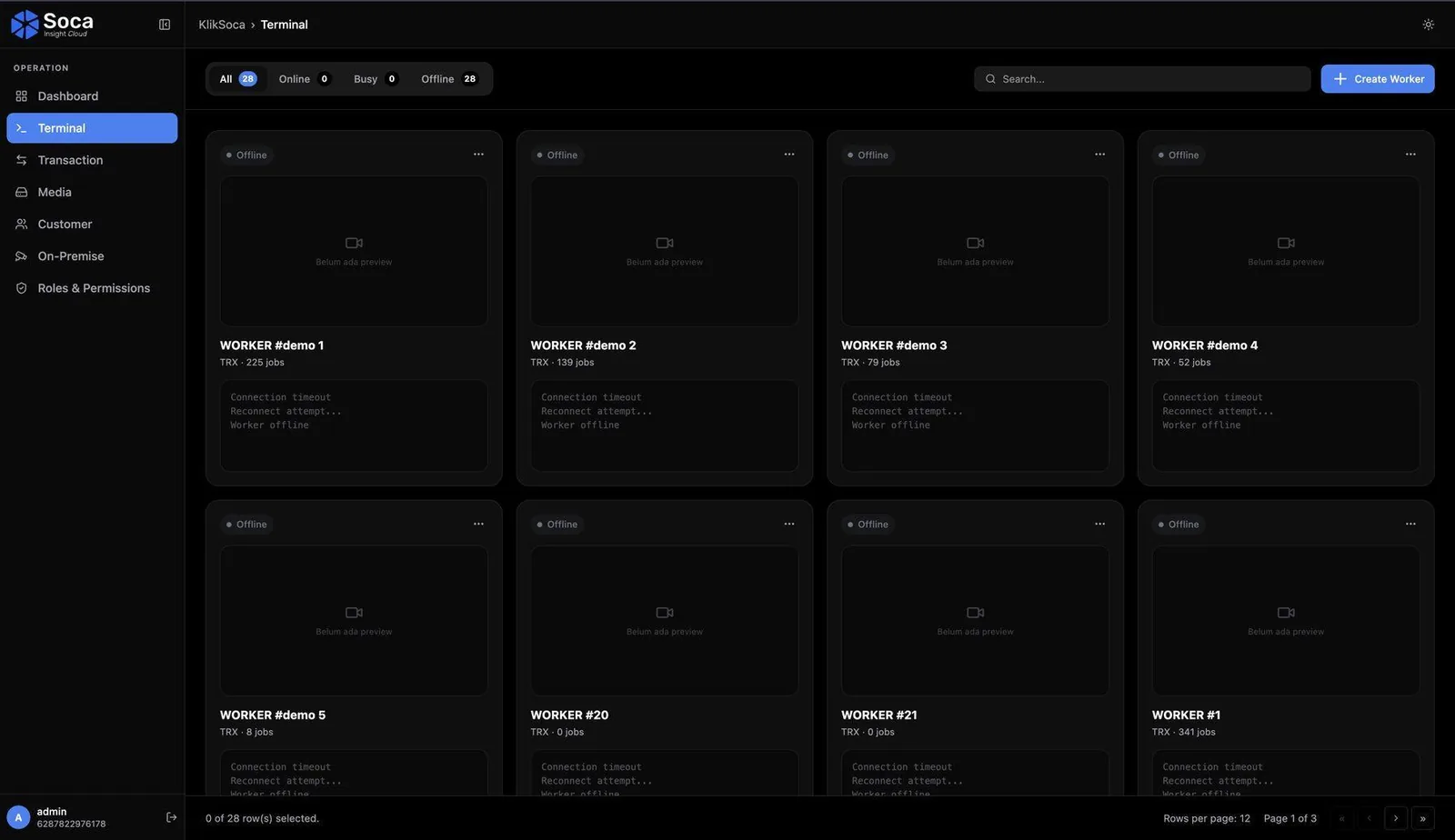
Administrators see every partner engine as Online, Busy or Offline, open its job statistics and its running log, and can export logs, restart a worker or interrupt a job that hangs.
- One worker can hold several engines
- Export Logs, Restart and Interrupt actions
Sign in with a WhatsApp code
No passwords. A six-digit code arrives on WhatsApp and is valid for five minutes. One phone number is one account, and one account can hold several roles, such as media owner and agency.
- Opens in any modern browser, nothing to install
- Each role lands on its own page after sign-in
Your idle GPU, put to work.
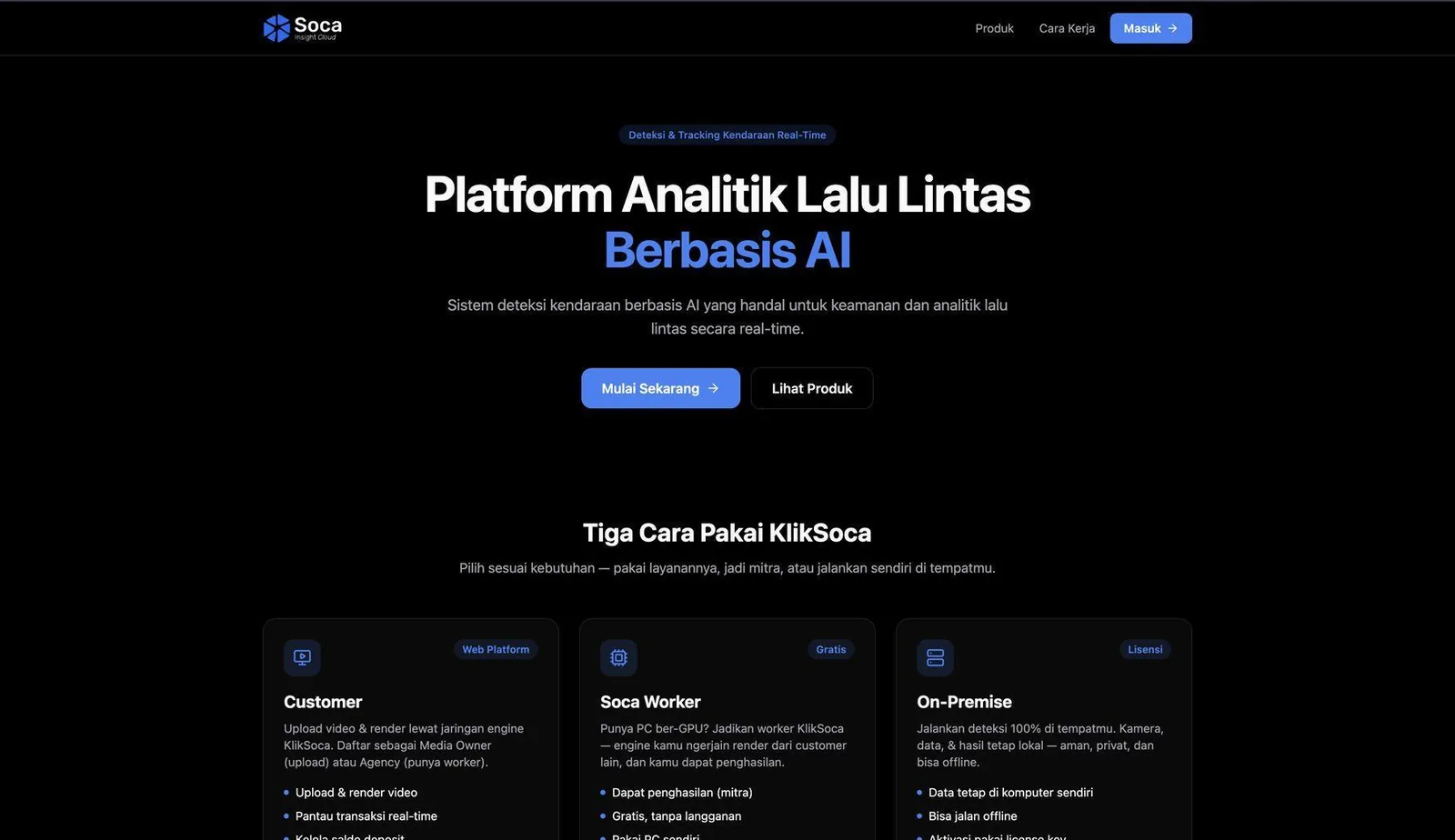
Partners install Soca Worker on a machine with a GPU, register with the same phone number, and pick up detection jobs shared by the cloud. You decide how much capacity to offer. The revenue share is paid per period on jobs that completed and were verified.
- 60:40 revenue share per job, 60% to the partner
- Your capacity, your hours
- Free to join, no subscription
Two ways in, one set of numbers.
Counts from your own sites and results from processed video meet in the same dashboard, inside the same Kliktron AOS.
From your own sites
Soca Insight On-Premise counts on a Mac beside the cameras and sends counts per hour and per session. The video stays there.
Soca Insight On-PremiseFrom recorded video
Order a detection job on recorded footage. A partner engine processes it and returns the count per object type.
Ask about a jobMatched to every play
Play timestamps from the player and counts from Soca line up, so each play can carry its own audience instead of a daily average.
Dual-Side ProofPay for the dashboard, then for the minutes you use.
The Dashboard plan includes 2,000 processed minutes a month. Extra minutes are billed on use, at a lower rate from 100,000 minutes a month. Enterprise runs on dedicated workers.
-
Best seller
DASHBOARD
Per tenant · 2,000 minutes included
$139per tenant / month- Full analytics reports
- Unlimited team accounts
-
USAGE
Extra minutes beyond the quota
$0.022per processed minute- Billed on use
- No idle fee
-
USAGE 100K+
Extra minutes at 100,000+ a month
$0.015per processed minute- Volume rate
- Billed on use
-
ENTERPRISE
Dedicated workers, priority queue
CustomScoped with you- Private cluster
- SLA follows the contract agreement
The billing unit is a minute of video processed successfully; failed jobs are not billed. Included minutes do not roll over to the next month. The partner revenue share is paid on completed and verified jobs.
Prices exclude 11% VAT. US dollar prices are converted from rupiah at Rp 18,000 = $1; invoices are issued in rupiah.
Tech specs.
Access
- Type
- Web app, no installation
- Browsers
- Chrome · Edge · Firefox · Safari
- Devices
- Laptop, PC or smartphone; a screen of 13 inches or more for admin pages
- Connection
- Stable 1 Mbps; 5 Mbps or more to play rendered video
Accounts
- Sign-in
- Six-digit WhatsApp code, valid for five minutes
- Identity
- One phone number, one account, several roles
- Roles
- Customer · Partner · Client · Admin · Super Admin
Processing
- Jobs
- Shared across partner Soca Worker machines
- Transaction states
- Pending · Processing · Success · Failed
- Worker states
- Online · Busy · Offline
- On-premise data
- Counts from Soca Insight On-Premise, synced automatically
Billing
- Unit
- Minute of video processed successfully
- Failed jobs
- Not billed
- Included minutes
- Do not roll over
- SLA
- Follows the contract agreement
Questions, answered.
Minutes of video that were processed successfully. The Dashboard plan includes 2,000 minutes a month; extra minutes are billed on use. Failed jobs are not billed, and unused minutes do not roll over.
No online worker has taken it yet, or the queue is long. Administrators can check the Terminal page for engines that are online. Enterprise plans run on dedicated workers with a priority queue.
Choose Become a partner, download Soca Worker and register it with the same phone number. You receive 60% of the revenue share on every job your machine completes, paid per period on verified work.
No. Each sign-in sends a six-digit code to the registered WhatsApp number. The code is valid for five minutes and expires once used, so keep that number secure.
The on-premise app sends its counts to the cloud automatically, and clients read them on the analytics page. If the device at the site is off or offline, the data catches up as soon as it reconnects.
Keep exploring, related pages.
Soca Insight On-PremiseCounts people and vehicles from the cameras already at your site. The video never leaves the machine. Vertex MonitoringOne fleet grid for every videotron you run. The screen that fails rises to the top.
 Dual-Side ProofWhat advertisers and media owners each see, from one record written by the player.
 Brand & AgencyPlan across cities, buy by the play, and report with verified plays and a counted audience.

Let’s make it Broadplay,
Anyone,
Anywhere,
Anytime.
See a detection job travel from upload to report in a 30-minute demo.