 ®

Advertising Platform
Run your screens, prove every play and count who passed.
Fourteen products in four groups, built on one engine. Sell airtime from a phone, run the screens, record the proof and count the audience, whether you operate one videotron or a network across cities.
Get the highlights.
-
One loop, four steps
Order, air, prove and measure run as one flow, with one account and one record from the first tap to the counted audience.
4steps on one record -
Keeps airing offline
The players keep the schedule, rates and balance on the machine at the site. The line drops, the screen keeps airing.
NetworkLine downScreenStill airingSchedule, rates and balance live on the machine at the site.
-
Proof from the player
Each airing is timestamped by the player itself, with a CCTV clip attached. Reporting stops being a matter of trust.
Campaign reportSilver · Bandung120/120plays verified- BDG · CicadasCCTV
- BDG · SudirmanCCTV
- BDG · PaskalCCTV
-
Audience as a number
Cameras count the people and vehicles that actually pass, so a point is priced on measured traffic, not on an impression of a crowd.
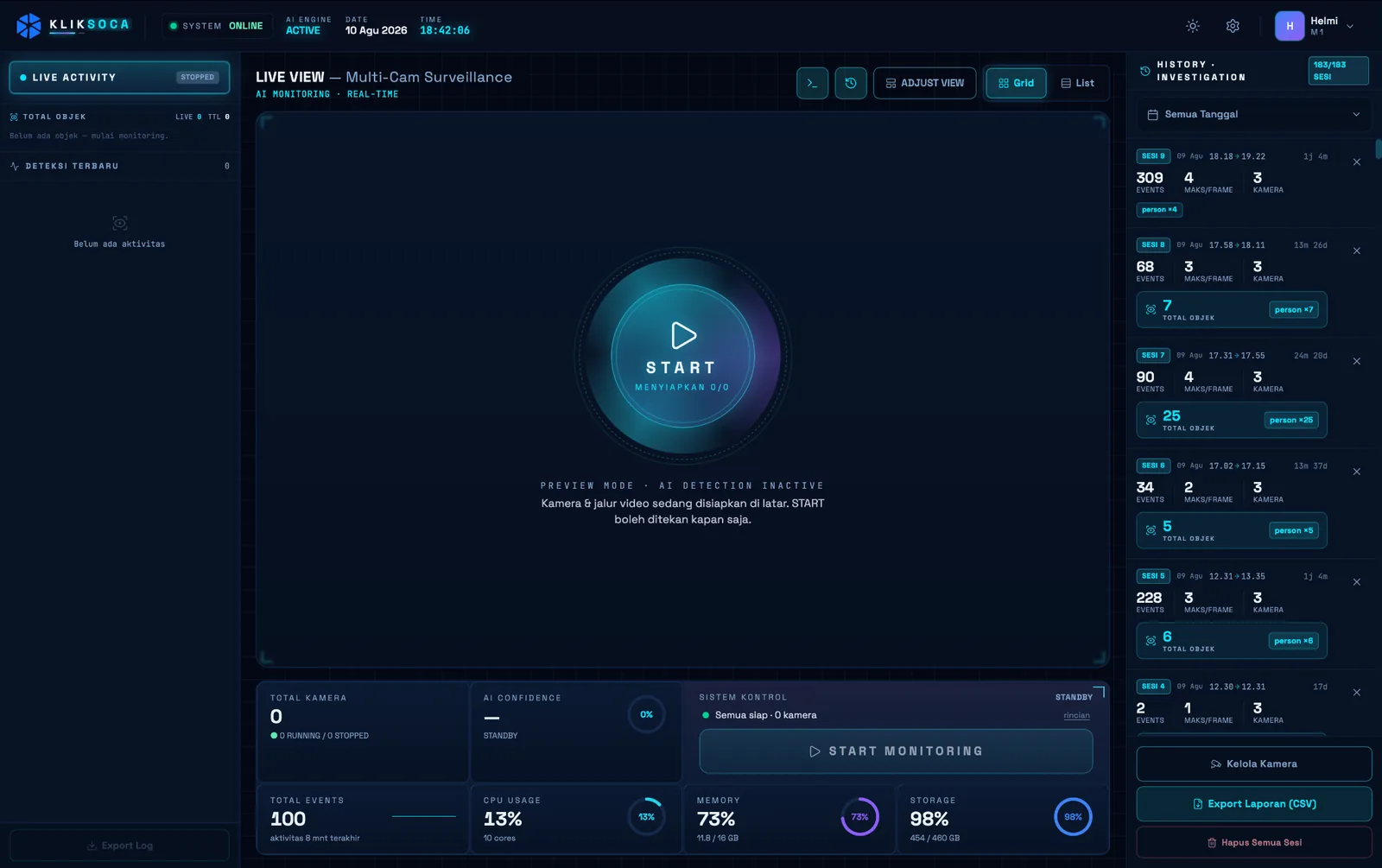
Soca InsightSession 07:00 to 19:00People18,240Vehicles12,172Peak / frame46Video processed on site. Only the numbers leave.
Four steps, one record from order to audience.
Each group of products closes one gap that has held out-of-home advertising back. Together they keep a single record of who bought, what aired and who passed.
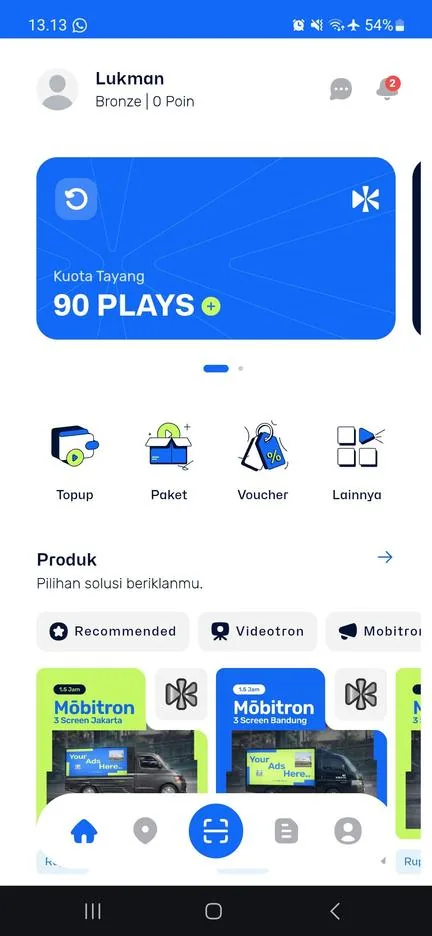
Order: the market buys from a phone
In the Kliktron® App an advertiser picks a point, buys a Plays package and uploads a 15-second creative, with no sales call and no yearly contract. Brands and agencies plan across cities with Kliktron® Media Buying.
- One play is one 15-second airing
- Every order joins one queue with QC before airing
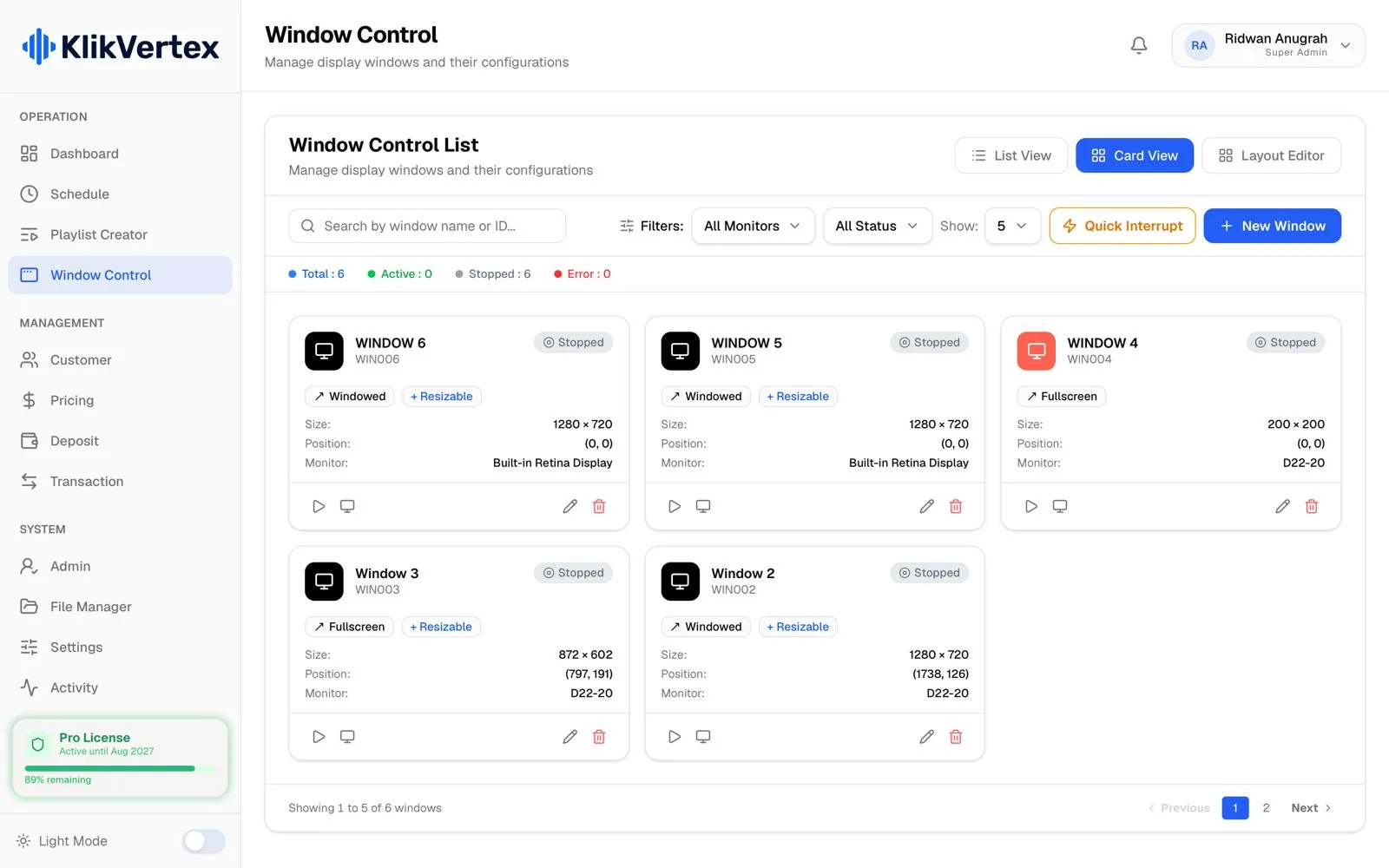
Air: the screen runs from the machine on site
Vertex Player drives videotrons and Klikplayer Mini Site drives indoor screens. Schedule, rates and balance live on that machine, so a dropped line never blanks the screen.
- Exclusive, Sharing, Blocking and Screensaver layers
- Indoor screens recover on their own after a power cut
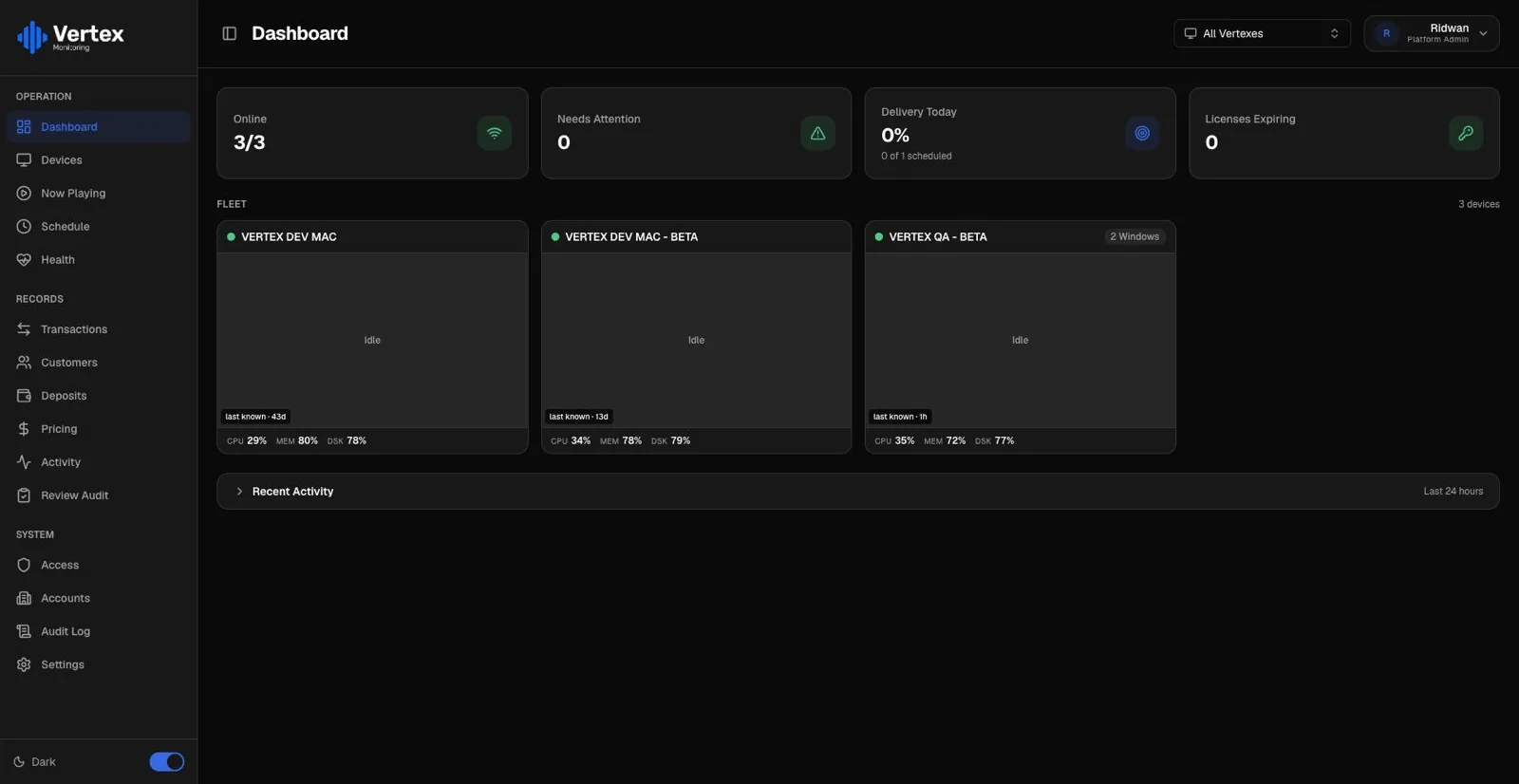
Prove: every play recorded by the player
The player timestamps each airing and records a CCTV clip at that second. Vertex Monitoring gathers every screen in one fleet view and puts the failing ones at the top, before your client calls.
- Warnings for licences that expire within 30 days
- Separate access for each advertiser
Measure: cameras count who passed
Soca Insight counts people and vehicles from the cameras already at the site. On-Premise keeps the video on the machine and sends only numbers. Kliktrack records the route and stops of every vehicle that carries a screen.
- Max-per-Frame, the density figure closest to reality
- Reports you can attach to a proposal or an invoice
Fourteen products, four groups, one core.
One group sells, one runs the screens, one measures and tracks, one turns the crowd into participants. Open any product for its full page.
- Identity & balance
- Pricing engine
- Licensing
- Order queue
- Play records
In the site menu, App and Control appear together as one column.
Add a screen, a camera or a vehicle. Nothing gets replaced.
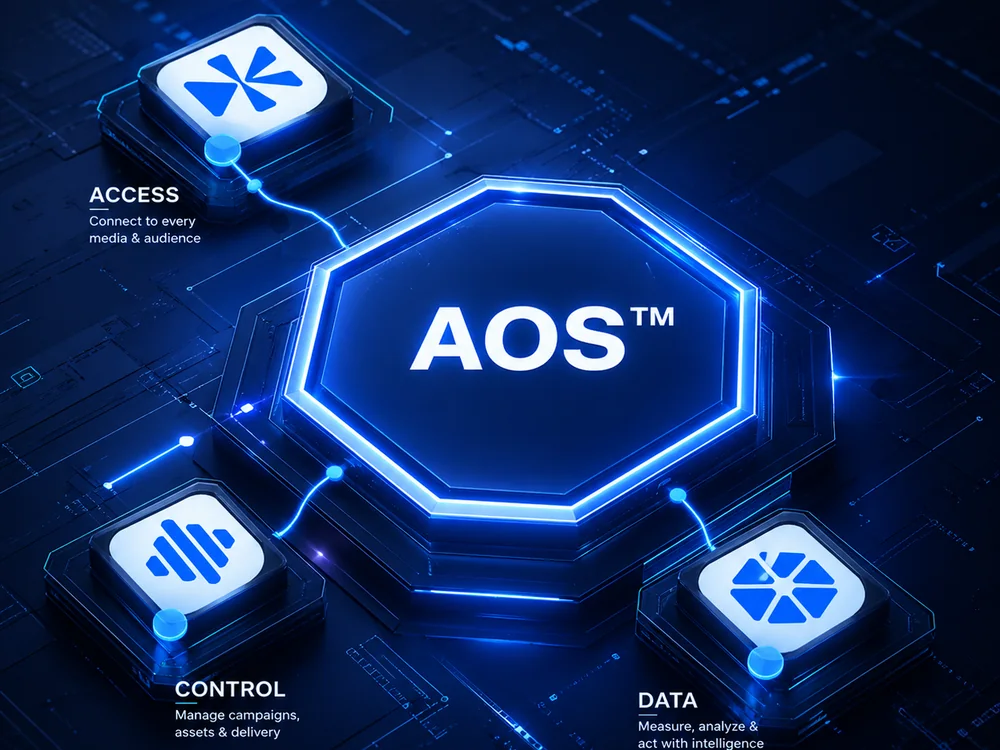
Every product runs on Kliktron AOS, the Advertising Operating System. It holds one identity and balance per customer, one pricing engine, the device licences, the order queue and the play records.
So the same account can add a fourth screen, a camera at the busiest point or one vehicle on the road. Adding a product adds a module, not another system.
- Identity and balance: one account from the app to the screen
- Pricing engine: tiers, rates and vouchers set once for the network
- Licensing: per device, checked on the machine itself
- Order queue and play records: every order traced to the airing that fulfilled it
- Identity & balance
- Pricing engine
- Licensing
- Order queue
- Play records
Built for the people who run, buy and move screens.
Start with the product that fixes your biggest gap today. The rest connects to the same account when you need it.

Media owners
Run videotrons that keep airing offline, see the whole fleet in one view and sell idle slots at retail without a sales team.
Media Owner
Venue groups
Indoor screens that switch themselves back on, playlists changed from one office and a play log ready for tenants or sponsors.
Commercial Spaces
Agencies and brands
Plan across points and cities, then report with verified plays, CCTV proof and an audience counted by camera.
Brand & Agency
Fleets and mobile media
Turn a driver phone or the computer in the vehicle into a position sender, and hand clients a route they can check for themselves.
Mobile Out-of-HomeLicensed by what you run, per screen, camera or vehicle.
Each product has its own unit and volume tiers, so the price grows with your network and drops per unit as it grows.
Per screen
Vertex Player per videotron unit. Klikplayer Mini Site per screen. Vertex Monitoring and Klikplayer Mini Cloud per connected device.
Screen pricesPer camera
Soca Insight On-Premise per active camera, one camera being one audience sensor. Soca Insight Cloud per tenant plus processed minutes.
Camera pricesPer vehicle
Kliktrack Cloud per active vehicle. Kliktrack Desktop and Mobile are included for Cloud customers, or licensed alone per unit, per seat or per campaign day.
Vehicle pricesPer tenant or project
Photospace Automation per tenant, with a free trial. Kliktron® Media Buying, Vertex Cloud, Photospace LED Screen and Game Interactive LED Screen are quoted per project or event.
Activation pricesPrices exclude 11% VAT. Every published figure is on the Pricing page. SLA follows the contract agreement.
Tech specs.
In the browser and on the phone
- Kliktron® App
- Web app (PWA) at app.kliktron.id, for advertisers
- Klik App CMS
- Web, in the browser, for the operator
- Vertex Monitoring
- Cloud web app for the fleet
- Klikplayer Mini Cloud
- Cloud web app for indoor fleets
At the screen
- Vertex Player
- Desktop app · Rust, Tauri 2
- Klikplayer Mini Site
- Desktop app · Tauri, Rust
- Without internet
- Both keep airing from local storage
Insight and support
- Soca Insight On-Premise
- Desktop app on macOS, video stays on site
- Soca Insight Cloud
- Cloud web app, jobs run on partner worker machines
- Kliktrack Desktop
- macOS or Windows, with a USB GPS receiver
- Kliktrack Mobile
- Android · iOS
On site
- Proof of play
- An RTSP-capable CCTV camera that sees the screen, supplied by the media owner
- Audience counting
- A camera installed at the point
- Photospace Automation
- Web SaaS, multi-tenant, nothing to install
Questions, answered.
No. Each product is licensed on its own. Start with the one that solves your biggest gap, and add the others to the same account later without replacing anything.
The unit you run: one licence per videotron unit for Vertex Player, per screen for Klikplayer Mini Site, per active camera for Soca Insight On-Premise and per active vehicle for Kliktrack Cloud. Volume tiers lower the price per unit.
For proof of play, yes: an RTSP-capable CCTV camera that sees the screen, supplied by the media owner. Audience counting needs a camera installed at the point. Playback itself needs no camera.
Yes. A screen run by Vertex Player can be listed in the Klik App, so idle slots reach retail buyers without a sales team. Orders pass your QC gate before anything airs. Talk to us about the terms.
SLA follows the contract agreement. Support levels rise with the tier, from working-hours support to an account manager.
Keep exploring, related pages.
 How it WorksThe Advertising Operating System (AOS) behind every play, stage by stage.
 AOS ArchitectureLayers, core, data flow and integrations of the Advertising Operating System, in depth.
 Media OwnerRun, monitor and monetise your screens: offline-first airing, a fleet dashboard and retail sales of idle airtime.
 PricingEvery published price, in rupiah or US dollars, straight from the price book.

Let’s make it Broadplay,
Anyone,
Anywhere,
Anytime.
See the platform run on live data in a 30-minute demo: proof of play, the fleet dashboard and audience counting.